

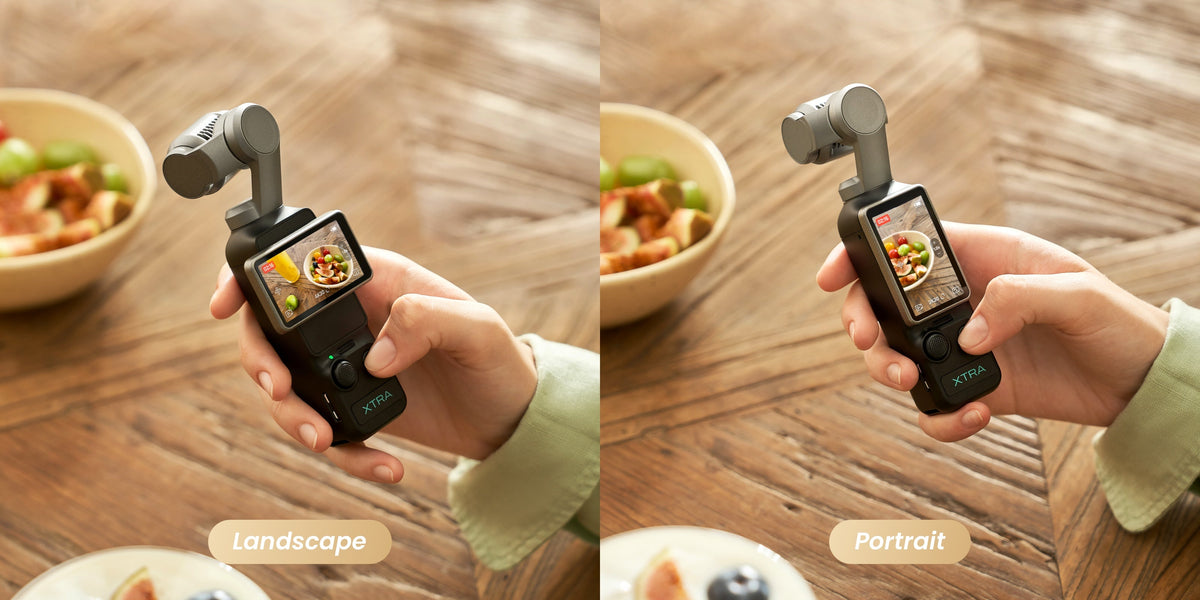
If your iPhone videos look shaky when you walk, chase a pet or follow your children through a crowded attraction, upgrading does not have to mean carrying a DSLR or spending $1,000.
Starting at $329 for the camera−only version, XTRA MUSE combines a 1−inch CMOS sensor, a true three−axis mechanical gimbal and a pocketable body weighing approximately 180 grams. For creators who want smoother, more intentional footage without assembling a large camera kit, it is one of the strongest best value vlogging camera candidates under $350.
Quick verdict
- Best for: Travel, family, pets, lifestyle videos and short-form social content
- Main advantage over an iPhone: Dedicated mechanical stabilization and a larger imaging sensor
- Video capability: Up to 4K/60fps in standard video and 4K/120fps slow motion
- Creator features: 10-bit X-Log, subject tracking and native vertical shooting
- Starting price: $329 for the camera-only version; bundles may cost more
- Main limitation: It is not waterproof or designed for high-impact action sports
XTRA MUSE will not replace an iPhone for every task. A phone is still faster for shooting, editing and posting from one device. However, for walking videos and everyday cinematic footage, XTRA MUSE offers hardware designed specifically for video capture.
How XTRA MUSE Can Produce Better Video Than an iPhone
Modern iPhones are capable cameras, but their stabilization systems vary by model and recording mode. They may combine optical stabilization, sensor movement, electronic stabilization and computational processing. Electronic stabilization can also crop the image, and challenging movement may occasionally produce edge distortion or an overly processed look.
XTRA MUSE takes a different approach.
True Three-Axis Mechanical Stabilization
The camera and lens are physically supported by a motorized three-axis gimbal. Instead of relying primarily on software to correct movement after it reaches the sensor, the gimbal actively compensates as you walk or turn.
That makes XTRA MUSE particularly useful for:
- Walking through a city or theme park
- Following children or pets
- Recording handheld travel B-roll
- Filming food, beauty or lifestyle content
- Creating moving vertical videos for TikTok, Reels and YouTube Shorts
Matching specifications do not guarantee perfect footage, but a mechanical gimbal provides a practical advantage when smooth handheld movement is your priority.
A 1-Inch Sensor for More Natural-Looking Footage
The 1-inch CMOS sensor is larger than the main sensors used in many smartphones. This gives the camera more light-gathering potential and can help produce cleaner indoor or evening footage when exposure and settings are appropriate.
It can also create more natural subject separation than a phone’s software-generated portrait effect, particularly when the subject is close and the background is farther away. Results still depend on lighting, distance and camera settings, so a larger sensor should not be treated as a guarantee that every shot will outperform every iPhone.
A Dedicated Camera Keeps Your Phone Available
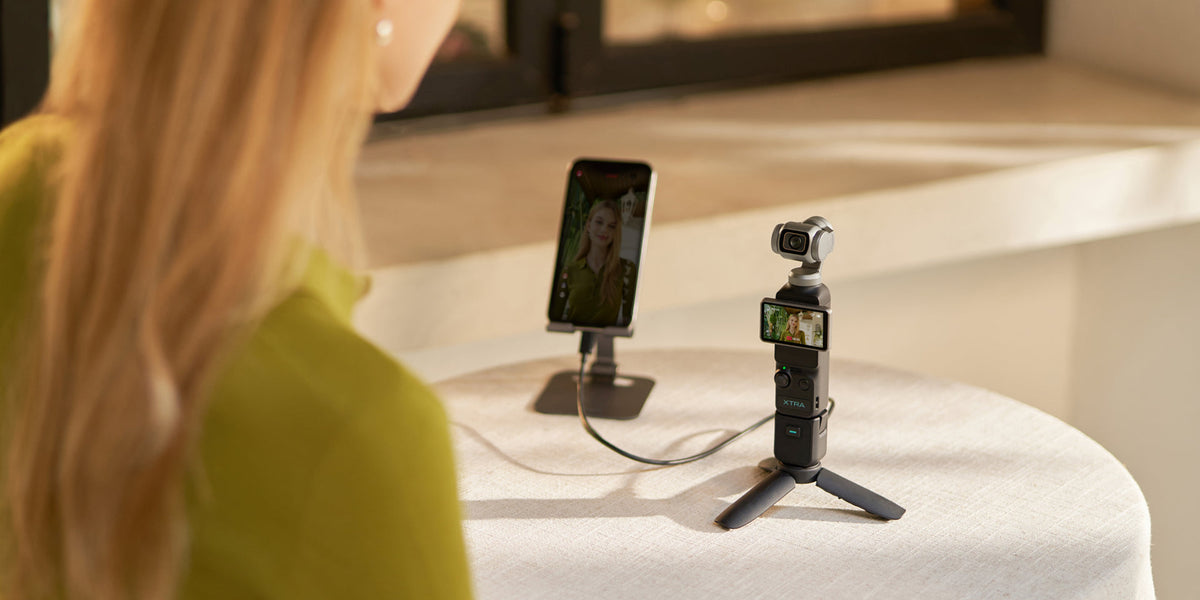
Using a separate vlogging camera also keeps your phone battery, storage and notifications out of the recording process. Parents can continue receiving calls, travelers can use maps, and creators can record longer sessions without filling the device they use for communication.
For someone who publishes regularly, that separation can make XTRA MUSE a practical investment for social media creators, not just an image-quality upgrade.
Designed for Travel, Family and Pet Videos
At approximately 180 grams, XTRA MUSE is easier to carry throughout the day than a DSLR or many mirrorless-camera setups. There is no lens bag to organize, and the motorized gimbal is already integrated into the camera.
The flip-to-start workflow helps reduce setup time when an unexpected moment happens. Native vertical shooting is also designed for portrait-oriented social content, reducing the need to extract a narrow vertical frame from a horizontal recording. Available resolution and frame-rate combinations can vary by mode, so check the selected settings before an important shoot.
For slow-motion clips of children running, pets playing or food preparation, MUSE supports up to 4K/120fps. Standard video reaches up to 4K/60fps. The 120fps setting is intended for slow motion and is not necessary for ordinary talking or travel footage.
Creators who want to color-grade can use 10-bit X-Log. Beginners who want a faster editing process should start with a standard color profile before moving to Log footage.
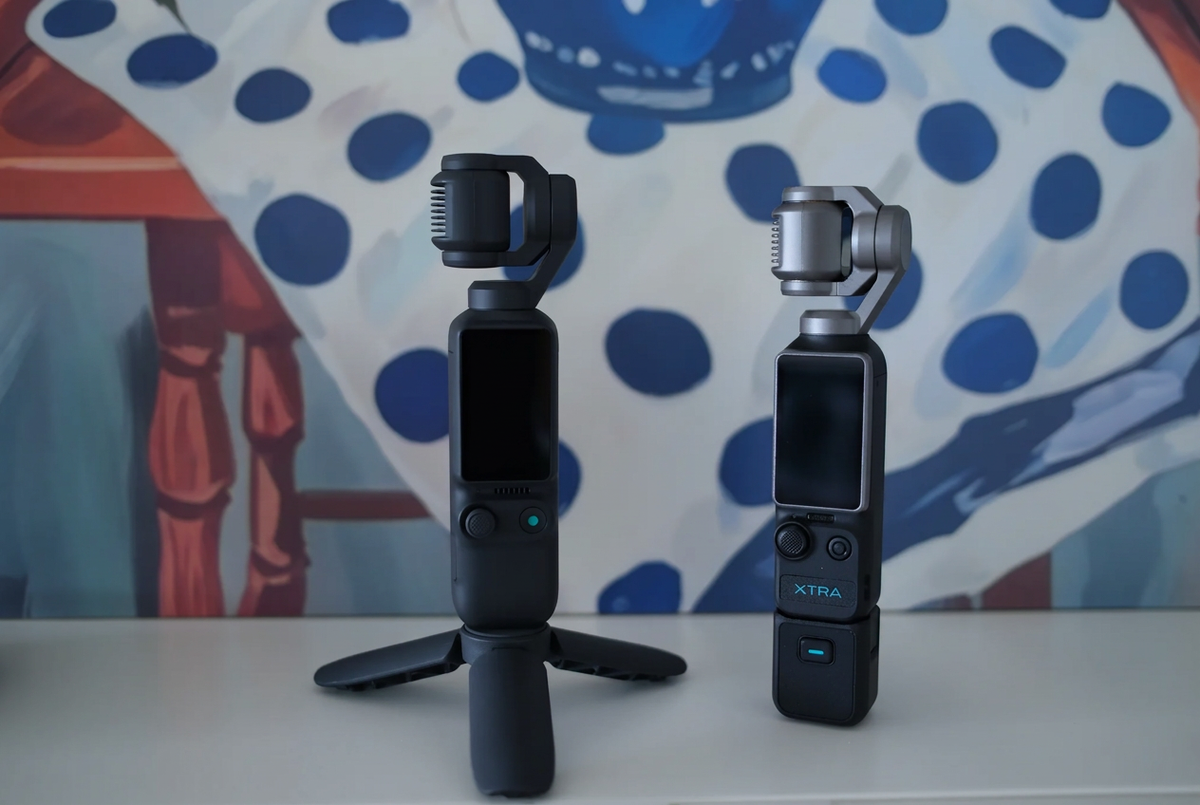
XTRA MUSE vs. DJI Osmo Pocket 3
When comparing the top vlogging camera options in the United States, shoppers are likely to consider both XTRA MUSE and DJI Osmo Pocket 3. Both fall into the pocket-gimbal category and advertise similar headline features, including a 1-inch sensor, three-axis stabilization, 4K/60fps standard video and 4K/120fps slow motion.
Those similarities do not mean that the cameras deliver identical footage, tracking, menus, apps or accessory compatibility.
Consider XTRA MUSE when:
- Your camera budget is approximately $350
- You prioritize core imaging hardware and mechanical stabilization
- You mainly create travel, family, pet or vertical social videos
- You want to reserve money for storage and essential accessories
Consider DJI Osmo Pocket 3 when:
- You already use verified DJI microphones or accessories
- DJI’s app and established accessory ecosystem matter to you
- A current bundle includes accessories you planned to purchase
- The higher total cost fits your budget
Compare complete kits rather than camera prices alone. A lower-priced body may require a memory card, handle or adapter, while a more expensive bundle may include items you would otherwise buy separately.
Building a Practical MUSE Starter Kit
The camera-only XTRA MUSE starts at $329. A basic setup should also include:
- A compatible microSD card
- A protective case
- An optional grip, mini tripod or 1/4-inch adapter
- An optional microphone for noisy environments
Common accessories can be attached through a compatible handle or 1/4-inch adapter, but compatibility should be checked by exact model. Do not assume that every microphone, filter or mount from the same brand will work automatically.
If your total budget is strictly $350, begin with the camera and storage rather than buying accessories immediately. Test the built-in microphones and your normal shooting workflow first. Add a grip, microphone or filter only when you identify a specific problem it will solve.
What Travelers Should Know Before Buying
XTRA MUSE is not waterproof. It should be protected from pools, heavy rain, underwater use and wet beach conditions. If surfing, helmet mounting or rugged outdoor use is essential, an action camera is the better choice.
A larger mirrorless camera may also be preferable when you need interchangeable lenses, strong telephoto reach or a more extensive professional system. MUSE is designed as an everyday phone upgrade, not as a complete replacement for every camera category.
Buying Recommendation
For lifestyle creators, parents and travelers who want noticeably smoother moving shots than they typically get from a phone, XTRA MUSE is a compelling lightweight vlogging camera under $350. Its combination of a 1-inch sensor, three-axis gimbal, 4K recording and vertical workflow makes it one of the most accessible upgrades from iPhone video.
It may be the best vlogging camera for your needs if portability, stabilization and value matter more than waterproofing or a large accessory ecosystem. Buyers who prioritize a more established app-and-accessory workflow should also compare DJI Osmo Pocket 3 before deciding.
Frequently Asked Questions
Is XTRA MUSE better than an iPhone for video?
It can be better for smooth walking footage, low-light potential, natural subject separation and keeping phone battery and storage free. An iPhone remains more convenient for filming, editing and posting from a single device.
Is XTRA MUSE the best value vlogging camera under $350?
For creators seeking a 1-inch sensor and true three-axis mechanical gimbal at a $329 starting price, it is a strong best-value option. The final decision should also consider storage, accessories, app workflow, warranty and seller support.
Is XTRA MUSE better than DJI Osmo Pocket 3?
Not in every category. MUSE offers a lower starting price and similar headline hardware categories. Pocket 3 may appeal to buyers who prefer DJI’s established ecosystem. Matching specifications do not prove identical image quality, tracking or usability.
Can XTRA MUSE shoot vertical TikTok and Reels videos?
Yes. It supports a native vertical workflow for TikTok, Instagram Reels and YouTube Shorts. Check the available resolution and frame-rate settings for the selected vertical mode.
Should beginners record everything in 4K/120fps?
No. The 4K/120fps mode is intended for slow motion. For everyday vlogs, start with standard video at 4K/30fps or 4K/60fps, depending on the scene and editing workflow.
Is XTRA MUSE waterproof?
No. It is not intended for underwater recording, surfing, heavy rain or other wet and high-impact action-camera situations.

Leave a comment
This site is protected by hCaptcha and the hCaptcha Privacy Policy and Terms of Service apply.