

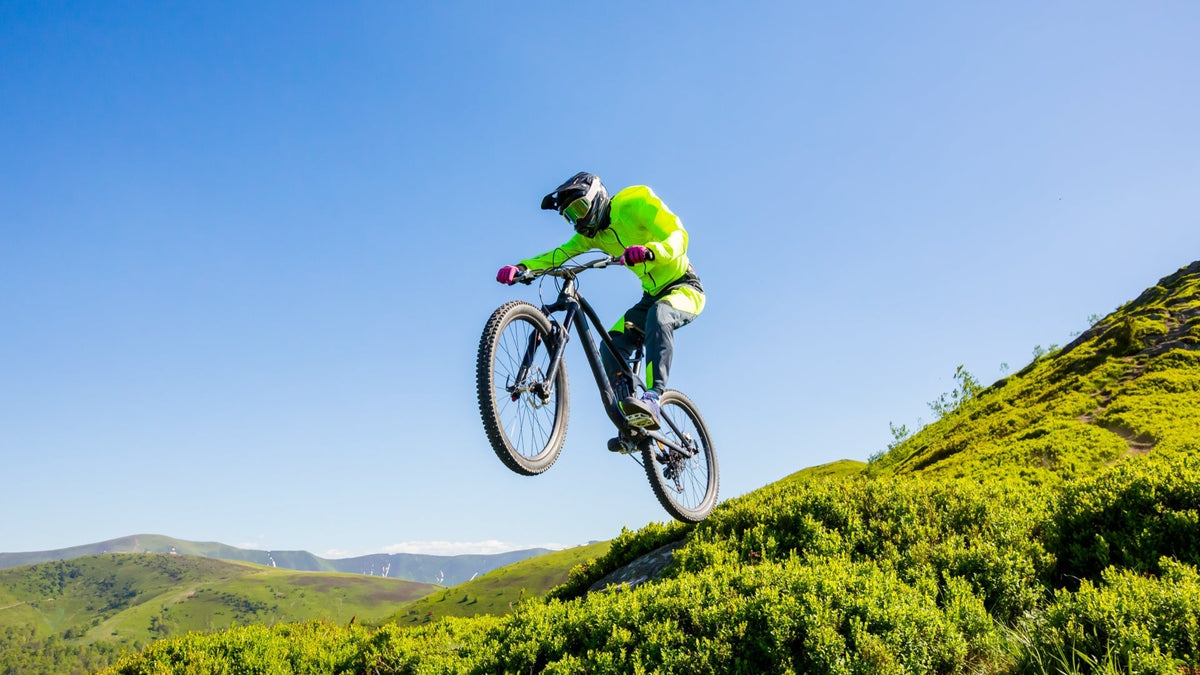
Mountain biking pushes an action camera harder than a smooth road ride. The best action camera for mountain biking must control trail vibration, preserve detail as light changes under trees, stay secure over roots and drops, and record fluid motion without making the setup difficult to use.
Use this guide to compare the features that matter, choose a practical mounting position, and decide where Xtra Edge Pro fits your riding.
What Matters Most in a Mountain Biking Action Camera
Mountain bike footage fails for predictable reasons: excessive shake, a narrow or badly angled view, blown highlights in forest gaps, a loose mount, or a dead battery before the best descent. Prioritize the complete trail workflow rather than shopping by resolution alone.
- Stabilization and horizon control. The camera must smooth rapid vibration while keeping berms, drops, and rider lean readable.
- Wide but usable field of view. A broad view should show the trail, bars, and terrain context without making obstacles look unnaturally distant.
- 4K/60fps motion capture. Sixty frames per second is a practical balance for fast trail action, clean motion, and moderate slow-downs.
- Sensor and dynamic range. Forest riding can switch from shadow to bright sunlight within seconds, so exposure recovery matters.
- Secure, low-profile mounting. A stable chest, helmet, or handlebar position matters as much as the camera body.
- Durability, battery, and workflow. Rain resistance, lens protection, ride-length power, simple controls, and manageable files affect whether you actually use the camera.
Start With Stabilization, Not Resolution
A high-resolution file is not useful if every root strike turns the footage into a blur. Electronic stabilization should reduce small, rapid vibration and larger body movement without making steering inputs and terrain feel disconnected. Test stabilization on the same kind of trail you ride, because smooth gravel does not reveal how a camera handles rock gardens, braking bumps, or repeated landings.
Xtra Edge Pro uses MotionMaster stabilization and offers TiltGuard and 360 Lock in supported modes. According to the official specifications, TiltGuard supports 1080p, 2.7K, and 4K video at up to 60fps in 16:9, while 360 Lock is limited to 1080p and 2.7K at up to 60fps in 16:9. Choose the mode before the ride instead of assuming every stabilization option works at every resolution.
Choose a Field of View That Shows the Trail
A mountain bike camera needs enough width to show line choice, trail edges, and part of the bike, especially from a chest mount. An ultra-wide view can make footage feel faster and more immersive, but an extreme view may also make rocks and drops look smaller than they felt. The best setting depends on both the lens mode and the mounting position.
Xtra Edge Pro offers an ultra-wide field of view up to 155 degrees in supported modes. That is particularly relevant for chest and close handlebar perspectives. For late forest runs, Night View can brighten low-light scenes; riders should test the selected field of view, exposure, and mount angle before a descent.
Why 4K/60fps Is the Practical Trail Setting
For most daylight trail riding, 4K/60fps gives enough detail for branches, dirt texture, and wheel movement while keeping fast turns and jumps smoother than 30fps. It also gives editors room to slow short moments without immediately dropping to a choppy result. Higher frame rates can be useful for dedicated slow motion, but they usually increase light, battery, storage, and editing demands.
Do not judge 4K by the number alone. Confirm that stabilization remains available at the selected frame rate, that the field of view is not cropped more than you expect, and that your computer and editing app can handle the resulting files.
Sensor Size and Dynamic Range Matter in Forest Light
Tree cover creates one of the hardest lighting patterns for an action camera: deep shade followed by a bright opening, then back into shadow. A larger sensor and useful dynamic range help retain more detail in those transitions. Good exposure behavior can improve a ride video more than adding resolution that the scene does not support.
Xtra Edge Pro uses a 1/1.3-inch CMOS sensor with 2.4-micrometer equivalent pixels and supports 10-bit color, X-Log, and HLG in compatible modes. Night View is also available to brighten low-light scenes such as evening rides. Riders who plan to color-grade footage should confirm that their selected recording mode and resolution support the desired color profile before the ride.
Pick the Mount Before You Pick the Camera
Mount position changes both the visual result and how much vibration reaches the camera. Choose the angle you want, then confirm that the camera, frame, adapter, and safety tether can create that setup without interfering with steering, braking, body movement, ventilation, or protective equipment.
- Chest mount. Often shows the bars and trail together and can look stable, but the camera angle must be checked in the riding position.
- Helmet or chin mount. Follows the rider's line of sight, but head movement can be busy; use only manufacturer-approved mounting methods and do not modify the helmet shell.
- Handlebar mount. Easy to operate and useful for forward or rider-facing footage, but it receives more direct vibration and must not obstruct controls or cables.
- Bike-frame or rear-facing mount. Creates a distinctive angle but requires extra attention to clearance, cable movement, debris, and tether placement.
Xtra Edge Pro supports magnetic quick mounting, dual-orientation shooting, and industry-standard mounts. The standard package lists a protective frame, dual-facing mount adapter, curved surface mount, thumb screw, and non-slip pad. A chest harness, dedicated handlebar clamp, helmet-specific mount, or safety tether may still need to be added to the complete kit cost.

Magnetic quick-mount example: confirm every adapter, screw, clamp, and safety tether before riding.
Durability, Weather, and Lens Protection
Mountain bike cameras encounter rain, dust, mud, branches, transport knocks, and occasional crashes. Waterproofing is useful for bad weather and cleanup, but it is not the same as impact protection. A replaceable or protective lens cover, a secure frame, and sensible camera placement can reduce avoidable damage.
Xtra Edge Pro is rated waterproof to 65 feet (20 meters) without a case when the battery and USB-C covers are firmly closed. The package includes a dual-orientation protective frame and an installed glass lens protective cover. Before a muddy or wet ride, inspect both covers and the lens area; after the ride, clean and dry the camera before opening any compartment.
Battery and Storage: Plan for the Whole Ride
Amazon's current Product information section lists Battery Average Life at up to 240 minutes. Continuous 4K/60fps recording, frequent screen use, wireless connections, cold weather, and repeated clip review can reduce real-world runtime, so riders should treat this figure as a maximum reference rather than a guaranteed trail result.
For a long ride, start with a full battery, confirm available storage, record shorter intentional clips when continuous footage is not necessary, and carry a protected spare battery or charging plan. Format and test the recording media before leaving the trailhead rather than discovering an error at the top of the climb.
Do Not Ignore Audio and Controls
Wind, tire noise, chain movement, and trail chatter are part of the ride, but uncontrolled wind can dominate the recording. Xtra Edge Pro uses a triple-microphone array with wind-noise reduction. Even so, mount location, speed, and helmet position will affect the result, so test a short clip at riding speed.
Controls should also work with gloves and under time pressure. Set resolution, stabilization, field of view, orientation, and clip length before the descent. Dual OLED touchscreens help with setup and review, but the camera should not require repeated on-trail menu changes.
Is Xtra Edge Pro the Right Mountain Biking Camera for You?
The Xtra Edge Pro product page listed the camera at $269 and in stock when this draft was prepared. For mountain bikers, its strongest purchase case is the combination of MotionMaster stabilization, up to a 155-degree field of view, 4K/60fps video, a 1/1.3-inch sensor, magnetic quick mounting, weather-ready construction, and dual screens in one package.
Transparency note: Xtra Edge Pro is an XTRA product. Product claims in this guide follow official specifications; this article is not presented as an independent multi-brand mountain biking test.
A Strong Fit If You...
- Want stabilized 4K/60fps footage for trail riding, jumps, turns, and fast descents.
- Prefer a wide field of view for immersive chest, helmet, or handlebar perspectives.
- Ride through mixed forest light and value a larger sensor plus flexible color modes.
- Want magnetic quick mounting, dual orientation, and a camera that can also cover hiking, travel, rain, and water activities.
Consider Another Setup If You...
- Need a verified crash-proof camera or expect frequent direct rock and impact contact.
- Require a complete chest, chin, or handlebar mounting system in the base package.
- Need the longest possible real-world 4K/60 runtime without carrying a spare battery.
- Want independent trail-test comparisons before making a purchase decision.
A 60-Second Pre-Ride Camera Check
- Inspect the camera. Check the lens cover, screens, battery door, USB-C cover, and frame for damage or debris.
- Lock the mount. Confirm every adapter, screw, magnetic interface, clamp, adhesive surface, and tether is fully engaged.
- Check clearance. Turn the bars, compress the suspension, and move into the riding position to confirm the camera cannot contact cables, controls, or your body.
- Set the mode. Confirm resolution, frame rate, stabilization, field of view, orientation, and audio settings before the descent.
- Confirm power and storage. Start with a charged battery and enough formatted recording space for the ride plan.
- Record a test clip. Review the angle at the trailhead while wearing your riding gear, then tighten the setup again.

Review framing and recording settings while the bike is stationary before entering the trail.
Frequently Asked Questions
What Is the Best Field of View for Mountain Biking?
A wide or ultra-wide view is usually the most immersive, especially from a chest mount, because it shows more trail and bike context. The best choice depends on the mount: too wide can make obstacles look small, while too narrow can hide line choice and speed.
Is 4K/60fps Good for Mountain Biking?
Yes. It is a practical default for daylight trail riding because it balances detail and smooth motion. Confirm that your preferred stabilization and field-of-view modes remain available at 4K/60fps.
Is a Chest Mount Better Than a Helmet Mount?
Neither is always better. A chest mount often shows the bars and can feel stable; a helmet or chin mount follows the rider's view. Comfort, safety, angle, helmet instructions, and trail type should decide the setup.
Do I Need Horizon Lock for Mountain Biking?
Not always. Some riders prefer visible bike lean because it preserves the feel of corners. Horizon control is useful when footage becomes disorienting, but review the supported resolution and frame-rate limits.
Does Waterproof Mean Crash-Proof?
No. Waterproofing protects against specified water exposure, not direct impacts from rocks, trees, or crashes. Use a protective frame or lens cover, choose a low-risk position, and secure the camera with a tether.
How Long Should an Action Camera Battery Last on a Ride?
Use the published maximum only as a reference, then plan for less runtime at demanding modes such as 4K/60fps with screens, wireless features, and repeated review. Carry a spare or charging plan for long rides.
The Bottom Line
The best action camera for mountain biking is the one that produces stable, well-framed footage on your actual trails and fits your complete mounting and battery workflow. Prioritize stabilization, a useful wide view, 4K/60fps, changing-light performance, secure mounting, lens protection, and realistic ride-length power.
For riders whose priorities match those features, Xtra Edge Pro is a relevant option at its current listed price. Before buying, review the supported modes, included accessories, mount costs, and current availability.
Ready to Build Your Mountain Biking Camera Setup?
Review current pricing, availability, included accessories, and full specifications: https://store.xtra-us.com/products/xtra-edge-pro
Price and product guidance checked July 30, 2026. Pricing, availability, and specifications may change.

Leave a comment
This site is protected by hCaptcha and the hCaptcha Privacy Policy and Terms of Service apply.