
Natural-Looking Skin in Lifestyle Videos: How to Evaluate XTRA MUSE
Quick Answer
The XTRA MUSE vlogging camera belongs on a lifestyle creator’s shortlist when portability, stabilized video, and pleasing facial rendering matter. Whether its skin tones look better than another camera is a personal judgment. Compare matched lighting, exposure, white balance, and processing before deciding which look you prefer.
“Natural” Is a Preference Worth Defining
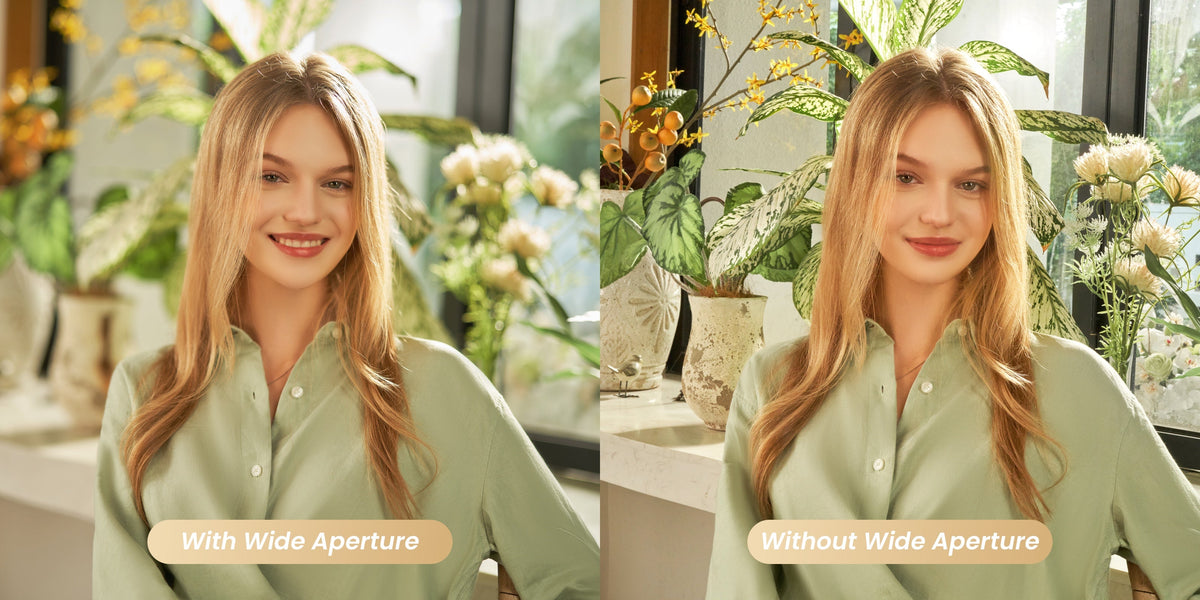
When creators ask for natural skin tones, they may mean different things: less orange warmth, believable undertones, visible skin texture, or fewer changes between clips.
That is why a blanket statement that one camera always produces better skin is not especially useful. A warm café, an overcast sidewalk, and a bedroom with mixed bulbs can make the same camera render a face differently.
“Color science” describes how a camera turns captured information into the colors you see. It matters, but so do lighting, exposure, white balance, and any retouching or filters.
For your own purchase, the important question is simple: Does this camera make people look the way you want them to look in your actual filming environments?
Give XTRA MUSE a Fair Skin-Tone Test
Start beside a window with soft daylight. Film a short introduction, turn your face slightly, and move between a brighter and darker part of the room.
For a useful comparison:
- Keep both cameras at similar distances and framing.
- Match white balance and exposure as closely as possible.
- Turn off beauty effects and filters where available.
- Compare exported clips on the same display.
Look at cheek color, forehead highlights, skin texture, and whether shadows shift toward an unwanted hue. Include more than one person if your content regularly features different skin tones.
These checks are more informative than comparing two unrelated influencer clips shot under different lights.
Build a Lifestyle Look You Can Repeat
XTRA MUSE offers a 1-inch sensor, mechanical stabilization, and 10-bit X-Log. For everyday lifestyle posts, begin with a standard color mode and controlled lighting rather than making grading mandatory.
If your selected mode exposes white-balance controls, keeping the setting consistent can help prevent distracting color changes between shots. Avoid mixing daylight with strongly colored bulbs when accuracy matters.
The small vlogging camera format is useful for errands, outfit clips, apartment updates, and walk-and-talk videos. Stabilization supports the movement; your lighting decisions support the face.
Buying Verdict
Choose XTRA MUSE if its sample footage matches your preferred look and its pocket workflow fits your routine. Do not buy solely on an unsupported claim that it beats DJI or an Insta360 model for every complexion.
Search “XTRA MUSE vlogging camera” alongside “skin tone samples” and prioritize comparable, clearly labeled footage.
FAQ
Does XTRA MUSE have built-in storage, and which microSD cards are recommended?
No. XTRA MUSE has no built-in storage. You must provide a compatible microSD card to record and save videos. Prepare your card before your first shoot.
Recommended microSD cards include:
- SanDisk Extreme Pro 32GB V30 A1 UHS-I Speed Grade 3
- Kingston Canvas Go! Plus 64GB UHS-I Speed Grade 3
- Kingston Canvas Go! Plus 128GB UHS-I Speed Grade 3
- Kingston Canvas React Plus 64GB UHS-II Speed Grade 3
- Kingston Canvas React Plus 128GB UHS-II Speed Grade 3
- Kingston Canvas React Plus 256GB UHS-II Speed Grade 3
- Lexar Pro 256GB SDXC UHS-I V30 R160/W120 (1066x)
- Lexar Pro 512GB SDXC UHS-I V30 R160/W120 (1066x)
Match the listed model and capacity when buying. Storage capacity alone does not establish compatibility. Back up existing files before formatting your card.
👉 [Get the XTRA MUSE 4K Pocket Gimbal with Limited-Time Creator Bundles]


Leave a comment
This site is protected by hCaptcha and the hCaptcha Privacy Policy and Terms of Service apply.