

Quick Answer
The XTRA MUSE vlogging camera is worth considering when you regularly want stabilized handheld footage and a dedicated recording device. It does not automatically outperform every smartphone in every scene. The strongest reason to carry it is a filming workflow that solves problems your phone repeatedly creates.
Upgrade the Experience, Not Just the Specification
Your phone already records video, edits clips, and posts them. A second device should earn its place.
Maybe navigation interrupts your travel filming. Maybe notifications distract you during an introduction. Or perhaps fitting your phone into a separate stabilizer takes longer than the moment allows.
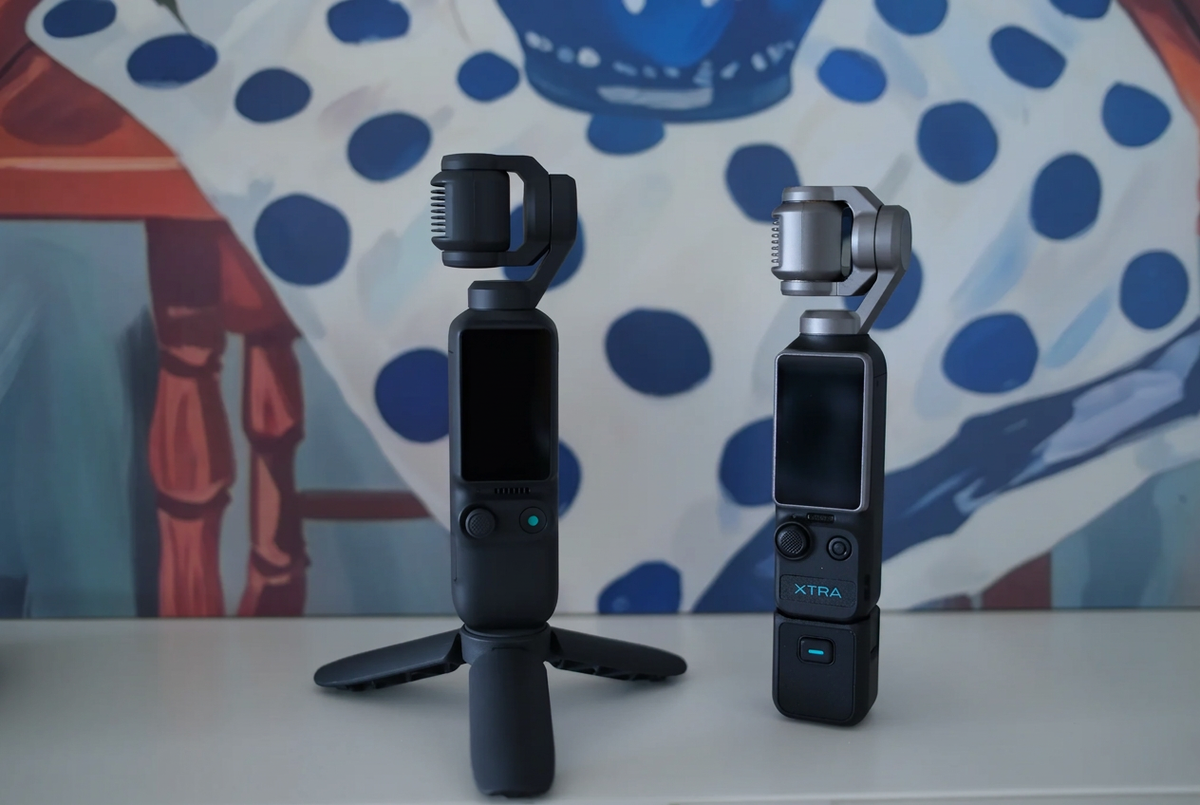
XTRA MUSE offers a dedicated alternative: an integrated camera with a mechanical gimbal, 1-inch sensor, and small screen.
A handheld gimbal camera can be useful when you want to start a deliberate filming session without repurposing the device that also holds your maps, messages, and tickets.
That is a workflow advantage—not proof that every clip will look better.
Where a Dedicated Camera Makes Sense
Walk-and-talk videos, neighborhood outings, and short lifestyle sequences give the integrated gimbal a clear job.
Instead of balancing a separate phone stabilizer, you use a device designed around stabilized recording. You can keep your phone free for everything else.
The trade-off is that MUSE adds another battery, storage card, and transfer step. Smartphone footage may reach your editor faster, especially when you already produce everything on one device.
If your filming consists mainly of quick stationary clips, a recent phone may remain the easiest option.
If you consistently dislike your moving footage or want a separate recording tool, MUSE deserves a closer look.
Keep Everyday Carry Small
An EDC setup should not quietly become a full production bag.
Begin with the camera, protective cover, and suitable microSD card. Add a support or microphone only when your typical recordings need one.
Protect the gimbal rather than treating it like a sealed action camera. The manufacturer specifically states that MUSE is not waterproof.
For editing, test the actual path from recording to publication: shoot a clip, transfer it, open it in your preferred editor, export, and upload. A camera with gimbal is only convenient if the rest of the workflow fits your habits.
Buying Verdict
Buy XTRA MUSE to solve a recurring filming problem, not because a dedicated camera must always beat a phone. Keep using your phone when its convenience is the feature you value most.
Search “XTRA MUSE vlogging camera” and compare moving footage with clips from your own phone before deciding.
FAQ
Does XTRA MUSE produce better video than a smartphone?
That depends on the phone, scene, settings, and your preferences. Compare the situations you actually film.
Is carrying both devices redundant?
Not necessarily. The phone can handle navigation and sharing while MUSE handles recording. For occasional filming, one device may be enough.
Does XTRA MUSE have built-in storage, and which microSD cards are recommended?
No. XTRA MUSE has no built-in storage. You must provide a compatible microSD card to record and save videos. Prepare your card before your first shoot.
Recommended microSD cards include:
- SanDisk Extreme Pro 32GB V30 A1 UHS-I Speed Grade 3
- Kingston Canvas Go! Plus 64GB UHS-I Speed Grade 3
- Kingston Canvas Go! Plus 128GB UHS-I Speed Grade 3
- Kingston Canvas React Plus 64GB UHS-II Speed Grade 3
- Kingston Canvas React Plus 128GB UHS-II Speed Grade 3
- Kingston Canvas React Plus 256GB UHS-II Speed Grade 3
- Lexar Pro 256GB SDXC UHS-I V30 R160/W120 (1066x)
- Lexar Pro 512GB SDXC UHS-I V30 R160/W120 (1066x)
Match the listed model and capacity when buying. Storage capacity alone does not establish compatibility. Back up existing files before formatting your card.
👉 [Get the XTRA MUSE 4K Pocket Gimbal with Limited-Time Creator Bundles]

Leave a comment
This site is protected by hCaptcha and the hCaptcha Privacy Policy and Terms of Service apply.