

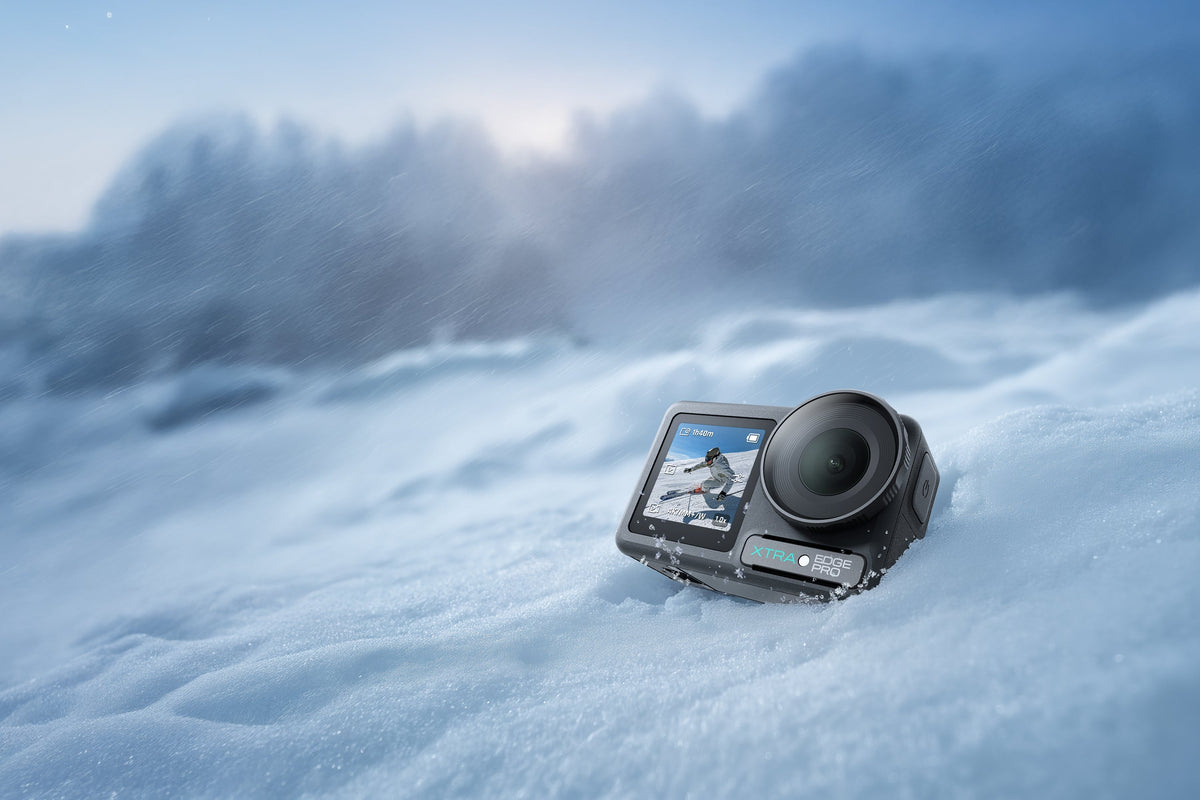
The best action camera for skiing is one you can keep running in cold, snow, and fast motion without turning the day into a battery or mounting problem. Cold drains batteries, snow can cover a lens, and a poorly placed mount can turn a smooth run into unusable footage.
For most creators, compare cold-weather power, weather protection, mount security, stabilization limits, and the workflow you will use after the run. XTRA Edge Pro is a model to evaluate when you want a 1/1.3-inch sensor, 4K/60 capture, MotionMaster stabilization, and a cold-resistant battery option, but real battery time and stabilization results still depend on settings and conditions.
Start With the Ski Shot You Need
A helmet-mounted camera gives a natural point of view, while a chest mount can show poles, skis, and body movement. A pole or extension mount can create a wider establishing shot, but it adds another failure point in a crowded lift line or fall. Decide which shot matters before comparing resolution numbers.
- Helmet or goggle mount: direct POV and quick setup, but the camera must stay low enough to avoid a distracting helmet profile.
- Chest mount: a more stable view of skis and poles, with less direct head movement in the frame.
- Pole or extension: useful for a wider view or a short follow-style shot, but only when the mount and tether are secure.
- Handheld or lift-line use: dual screens and simple controls matter more than a long feature list when gloves and snow are involved.
Cold Weather Changes Battery Planning
Battery performance is a system problem in winter. A cold camera, bright screen, wireless connection, high frame rate, and stabilization can all change how long a battery lasts. Keep spare batteries warm until you need them, start each run with a known charge, and avoid leaving the camera exposed on a lift when you are not filming.
XTRA’s current store listing documents a cold-weather laboratory condition of -20°C / -4°F for one 1080p/24 battery test and separately advertises up to 240 minutes under a stated test setup. The listing also says battery life varies. Treat those figures as references, not a promise of 4K/60 recording through a full ski day.
- Warm the spare battery inside an inner pocket rather than in a loose exterior pouch.
- Use the lowest screen brightness and wireless settings that still let you operate safely.
- Record short clips when you are scouting or waiting, then start a fresh clip for the actual run.
- Carry a charging plan for the car or lodge; cold-weather planning is more reliable than a single headline number.
Snow, Water, and Condensation Need Different Precautions
Snow is wet weather, but it is not the same as a controlled waterproof test. Keep snow from packing around the doors and lens, and dry the outside before opening a cover. If the camera moves from a warm room to freezing air, give it time to acclimate so condensation does not appear where you cannot wipe it away.
XTRA Edge Pro is rated for bare-camera use to 65 feet / 20 meters, with the battery door, USB-C cover, and lens protector secured. That rating can be relevant for rain, slush, and an accidental fall into water, but it does not remove the need to inspect seals or keep the camera out of hot springs, corrosive liquids, and unknown water. For prolonged underwater use or strong water pressure, the manufacturer recommends a housing.
Mounts Decide Whether the Run Is Watchable
A sharp camera cannot rescue a loose mount. Use a low-profile attachment that matches your helmet, chest harness, or pole, then check the angle while wearing the gear. A slight downward tilt usually shows the line ahead and enough of the skis to give the viewer context without pointing the lens at the snow.
Edge Pro includes a magnetic quick mount and dual OLED touchscreens. Those features can make it faster to change angles and check framing, but they do not replace a secure attachment. Inspect the mount, adapter, and any tether before the first run, and keep spare adhesive or a backup mount in the kit.

Stabilization and Frame Rate Must Match
Ski footage has both high-frequency vibration and large changes in direction. Compare stabilization by asking what resolution and aspect ratio you can use at the same time. A setting that levels the horizon may also limit the field of view, frame rate, or aspect ratio, so test the exact combination before a trip.
| Skiing decision | What to check before publishing or filming |
|---|---|
| 4K detail versus smooth motion | Use the frame rate that fits the light and motion. Do not assume the highest frame rate is always the clearest choice in shaded snow. |
| Horizon or tilt correction | Confirm the mode, resolution, frame-rate, and 16:9 limits. Edge Pro 360 Lock and TiltGuard do not work in every mode. |
| Slow motion | Use high-frame-rate recording for a jump or turn only when there is enough light and the editing workflow supports it. |
| Low-light chairlift or dusk | Night View is a low-light mode, not infrared night vision. Check its 8-bit and stabilization limits before using it after sunset. |
Edge Pro lists MotionMaster, TiltGuard, and 360 Lock. The current product notes specify that 360 Lock is limited to 1080p and 2.7K up to 60fps in 16:9, while TiltGuard supports 1080p, 2.7K, and 4K up to 60fps in 16:9. Those boundaries are useful because they keep the article from treating a feature name as an all-mode guarantee.
Where XTRA Edge Pro Fits a Skiing Kit
XTRA Edge Pro is an XTRA product. This article uses manufacturer specifications and current store listings and does not present an independent laboratory test.
For a creator who wants one conventional action camera for direct framing, Edge Pro brings a 1/1.3-inch CMOS sensor, standard video up to 4K/60, slow-motion options up to 4K/120 and 1080p/240, 10-bit Normal, X-Log, and HLG profiles, dual OLED touchscreens, and magnetic quick mounting. The 155-degree field of view can help show the slope and body movement, while the color profiles matter most when you are prepared to edit them.
The practical boundary is just as important. Battery life varies by mode and temperature. Stabilization has mode limits. A wide lens can make distant skiers look small. Snow, ice, and adhesive mounts still require inspection. Choose the camera when those tradeoffs fit your filming plan, not because a single specification sounds impressive.
A Pre-Run Setup That Prevents Common Failures
- Charge the camera and spare battery indoors, then keep the spare warm until needed.
- Clean the lens and check that no snow or moisture is packed around the doors.
- Lock the mount, tug the connection gently, and attach a compatible tether where appropriate.
- Record a five-second test while wearing the gloves and posture you will use on the slope.
- Check the horizon, ski visibility, and exposure before leaving the lift line.
- After the session, dry the outside before opening a cover or moving the camera into a warm bag.
Choose for the Conditions You Will Actually Film
The best action camera for skiing is the one that stays secure, starts reliably in the cold, and gives you a stable frame you can finish in your editing workflow. Compare battery conditions, mounting, stabilization limits, and snow care before you compare headline resolution.
Explore XTRA Edge Pro: https://store.xtra-us.com/products/xtra-edge-pro

Leave a comment
This site is protected by hCaptcha and the hCaptcha Privacy Policy and Terms of Service apply.