

The best low light action camera needs to keep moving subjects recognizable after sunset. A bright preview tells you little if faces smear, pavement loses texture, or the picture pulses with every step. Start with the scenes you film most, then compare exposure, motion handling, and the limits of each night mode.
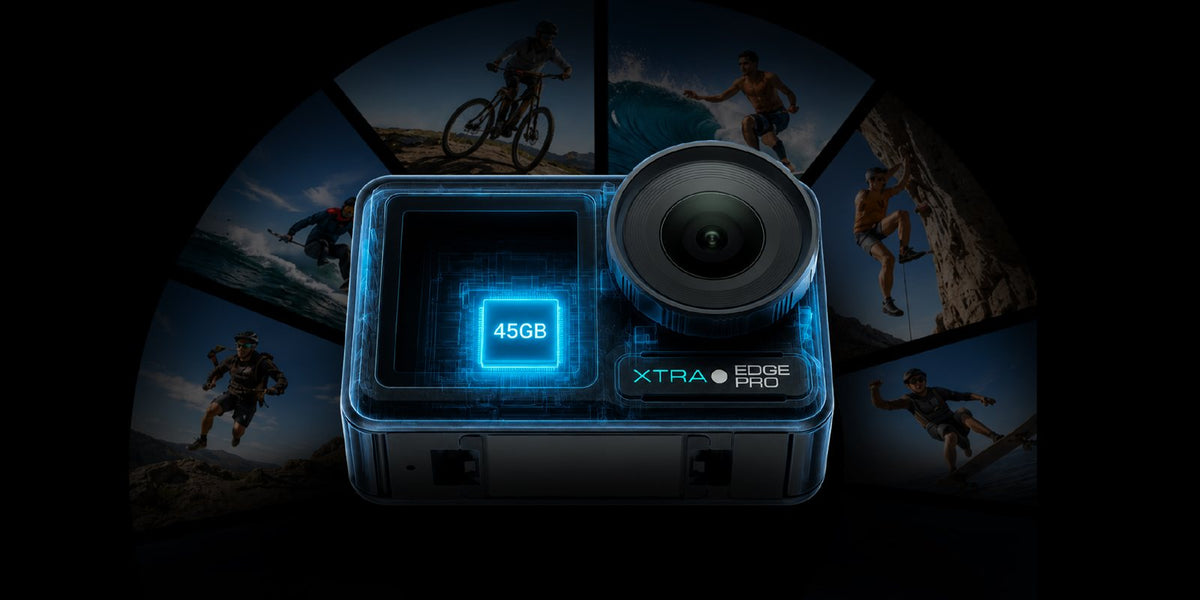
For evening rides, city walks, and campsites, XTRA Edge Pro is worth considering for its sensor and dedicated Night View option. This guide explains what those features can contribute, which settings deserve a short trial, and how to evaluate original footage before deciding what works for you.
Why action cameras struggle after sunset
As daylight fades, the camera receives less light during each frame. It can lengthen the exposure, increase ISO, or process the image more aggressively. Each response has a cost: longer exposures can blur movement, higher ISO can make noise more visible, and heavy noise reduction can soften fine detail.
Movement makes the problem harder. A person standing beside a lantern is easier to record than a cyclist moving through patches of streetlight. Judge the scene by the light falling on the subject. A bright sign in the background does not necessarily illuminate the face you want to film.
Look for distinct problems when reviewing a clip. Grain in a dark jacket is noise; a streaking hand is motion blur. A stable horizon with smeared road texture suggests that stabilization and exposure need attention. These problems call for different adjustments.
Sensor size and exposure both matter
Sensor size is a useful starting point, but it does not establish a low-light winner by itself. Lens brightness, sensor design, processing, and exposure choices all affect the finished clip. A larger sensor can offer advantages under comparable conditions; footage from different settings cannot isolate that advantage.
Frame rate sets a limit on the exposure time available for each frame. A 30 fps setting allows a longer exposure than 60 fps, but it will not automatically brighten a clip if the camera uses the same shutter speed. Slowing the shutter collects more light and also increases the risk of motion blur.
For example, 1/60 second is a common starting point at 30 fps. If walking footage smears, a shorter exposure such as 1/120 second may help, where manual shutter control is available. It also halves the light collected per frame at unchanged aperture, so the camera may need more ISO or a brighter scene.
For the exposure basics, see Nikon’s guide to video shutter speed and ISO. The examples above are starting points for evaluation, not an Edge Pro preset or a tested performance claim.
Night modes and true night vision serve different jobs
A night mode is designed for scenes with limited visible light. Infrared night vision uses equipment designed to detect infrared light, sometimes with an infrared illuminator. If you are searching for a night vision action camera to record in complete darkness, verify that specific capability rather than relying on a mode name.
XTRA Edge Pro is an XTRA product. This article uses manufacturer specifications and current store listings and does not present an independent laboratory test.
The relevant Edge Pro specifications are grouped below. Its color profiles and horizon controls belong to different operating combinations; they should not be treated as features that all run together.
| Feature | Confirmed specification and practical limit |
|---|---|
| Sensor | 1/1.3-inch CMOS. Consider it alongside exposure and original moving footage. |
| Night View | Up to 4K/60 fps. Limited to 8-bit; no TiltGuard, 360 Lock, 155° ultra-wide FOV, or 4:3 aspect ratio. |
| Color options | 10-bit Normal, X-Log, and HLG are available outside Night View. Choose a profile that suits your editing process. |
| Horizon controls | TiltGuard: up to 4K/60 fps in 16:9. 360 Lock: 1080p or 2.7K up to 60 fps in 16:9. Neither is available in Night View. |
Mode restrictions are listed in the official Edge Pro product notes. Night View is not infrared night vision, and it still needs usable light in the scene.
For straightforward sharing, start with the standard color workflow and compare a Night View clip. Choose X-Log when you intend to color grade. Ten-bit recording provides finer tonal steps than 8-bit; it does not add illumination or remove motion blur.
Stabilization cannot fix every low light problem
Electronic stabilization can steady the framing while blur remains inside each frame. That is why a night ride can look level yet still show soft road markings or distracting blur around lights. Selecting the strongest stabilization setting is not a complete solution.
GoPro’s technical explanation of low-light stabilization describes this interaction between long exposures and stabilized motion. It supports the general principle, not a performance comparison between current cameras.
Begin with a secure mount and clean lens cover. Record a short moving clip, then watch it at normal speed and pause on a frame. If the framing shakes, check the mount and supported stabilization settings. If individual frames smear, try a shorter exposure, steadier movement, or more light. Turning stabilization off alone will not remove exposure blur.
Starting settings for rides walks and campsites
Use these as trial setups for an action camera for low light. Begin with automatic exposure and change one setting at a time. Only select frame rates, manual controls, and stabilization options available in the camera’s current mode.
| Scene | Starting point | What to check |
|---|---|---|
| City walk | Try 4K/30 fps; compare normal video with Night View where available. Walk steadily. | Faces, shop lettering, and blur during each step. |
| Evening ride | Try normal video at 30 fps with supported stabilization. Compare 60 fps only where light permits. | Road texture, vibration, and changes between lit and dark sections. |
| Campsite conversation | Try 30 fps with the camera supported. Put a soft light near the speaker. | Skin tones and facial detail rather than the brightness of the lantern. |
Keep riding lights focused on safe visibility, secure the camera before setting off, and stop to change settings. For a stationary campsite shot, adding a small light near the subject can be more useful than raising ISO again. Avoid pointing it into another person’s eyes.
Remove an ND filter used for daylight shooting, since it reduces incoming light. Clean fingerprints and moisture from the lens cover before filming near bright lamps. If light sources flicker or colors shift, review a short recording and adjust only the controls supported by that mode.
How to evaluate original night footage
A useful sample needs movement and a repeatable scene. Use this method to compare normal video with Night View, or to assess two cameras without confusing a change in lighting with a change in performance.
- Choose a short route with a lit subject, a shadowed section, and a bright lamp or sign. Record clips close together so twilight does not change the comparison.
- Keep the route, camera height, mounting position, and pace consistent. Match resolution and frame rate where possible; label any unavoidable field-of-view or mode differences.
- Record firmware, mode, shutter, ISO or automatic exposure, color profile, and stabilization. If a setting is unavailable, note that instead of assuming it is active.
- Review full clips at the same display brightness. Inspect faces, moving edges, shadow texture, highlights, and blur through each step or bump. Retain the original files and disclose any grading or noise reduction.
For a controlled comparison, keep shared settings consistent. A separate comparison can show each camera’s preferred setup, provided those choices are disclosed. A paused frame supports a detail check; it does not demonstrate how well motion stays stable throughout a clip.
Buying checklist for the best low light action camera
- Match samples to your activity. A tripod skyline does not demonstrate night-riding performance.
- Check mode combinations. Confirm whether your chosen night setting retains the framing, stabilization, and color workflow you need.
- Budget for the whole setup. Include a suitable mount, storage, spare power, and lighting for stationary scenes.
- Look for original footage and disclosed settings before accepting a claim of cleaner shadows or sharper motion.
Edge Pro is a sensible option to shortlist when your trips mix daylight action with illuminated streets or campsites and its mode tradeoffs fit your needs. If your priority is recording without visible light, choose equipment with verified night-vision capability.
For the complete purchase budget, see our action camera guide for outdoor kits under $300.
Frequently asked questions
Is 30 fps better than 60 fps in low light
Often it is a useful starting point because it allows longer exposures. The benefit depends on the actual shutter speed. Fast movement may need a shorter exposure and more light, even at 30 fps.
Can XTRA Edge Pro use Night View and 10-bit recording together
No. Night View is limited to 8-bit. The camera’s 10-bit Normal, X-Log, and HLG options belong to other recording configurations.
Does Night View support horizon locking
Night View does not support TiltGuard or 360 Lock. Use a supported normal-video configuration if those horizon controls are essential to the shot.
Can Night View record in complete darkness
Night View is not infrared night vision and needs usable visible light. Add appropriate lighting or choose equipment specifically designed for recording without visible light.
Choose around the footage you need after sunset: recognizable subjects, controlled movement, and settings you can use together. Compare original moving clips, then select the mode that fits the scene.
Explore XTRA Edge Pro
https://store.xtra-us.com/products/xtra-edge-pro

Leave a comment
This site is protected by hCaptcha and the hCaptcha Privacy Policy and Terms of Service apply.