

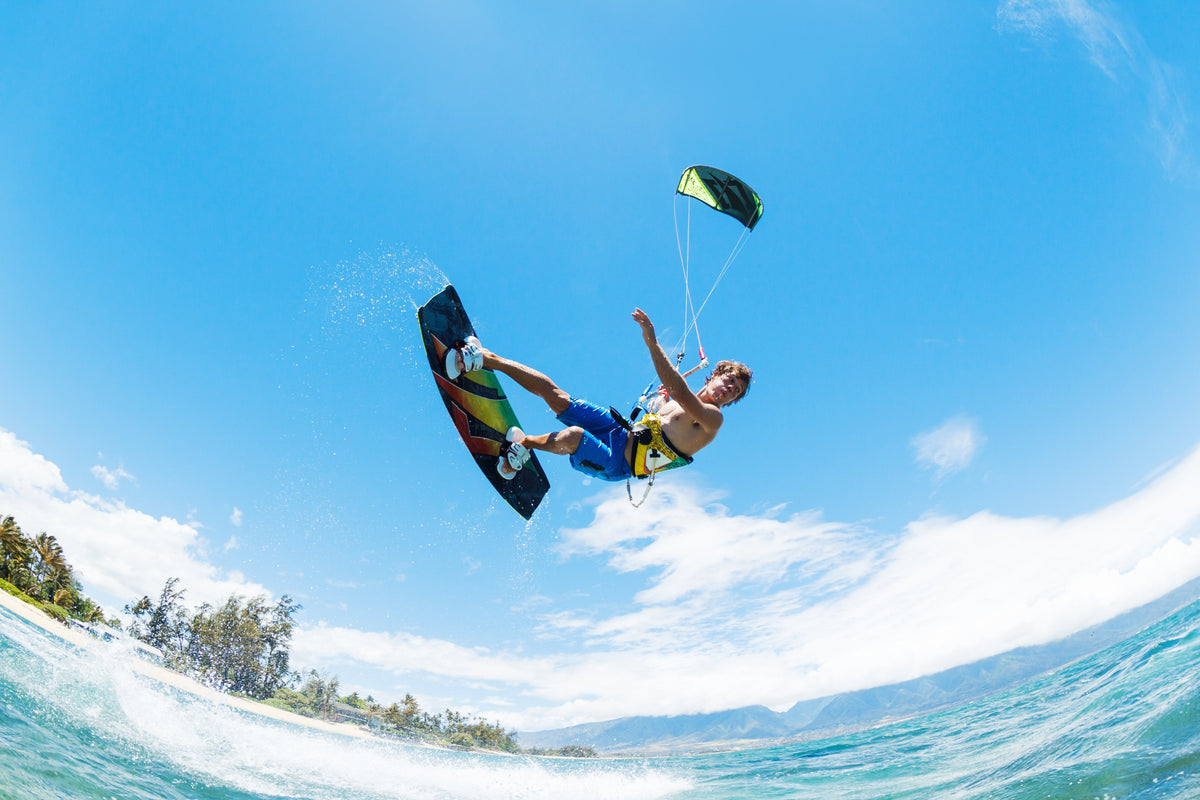
An invisible selfie stick works because a dual-lens 360 camera records overlapping views and stitches them into one spherical image. When a slim stick is aligned directly beneath the camera, it sits inside the narrow area the stitching process can hide. The stick is not transparent, and software does not reliably erase every pole in every position.
That distinction matters. A straight, centered setup can create a floating-camera or third-person view. An angled adapter, bulky grip, nearby hand, or object crossing the stitch line can remain visible. This guide explains the principle, the setup, and the common reasons the effect fails.
Why the selfie stick disappears
A typical 360 camera uses two outward-facing fisheye lenses. Each lens sees slightly more than one half of the scene, so the two recordings overlap around the camera. Stitching software uses that overlap to join the views and create a continuous panorama.
The camera body and the area directly below it are difficult for either lens to see cleanly. If the stick stays narrow and follows the camera's vertical axis, the stitching boundary can pass around it. The result looks as if the camera is floating, even though the support was physically present during recording.
This is different from object removal in a photo editor. The effect depends first on geometry: lens placement, overlap, pole width, and alignment. Processing completes the stitch, but it cannot recover a clean background when a large object blocks information both lenses needed.
What the effect needs to work
A dual-lens 360 recording. Single-lens video cannot hide a pole by stitching two opposing views.
A slim, compatible stick that stays inside the camera's lower blind area.
A straight connection. The camera and stick should share the same center line rather than being offset by an angled adapter.
Enough distance from nearby subjects. Objects very close to the camera create larger differences between the two lens views.
A completed stitching and reframing step before export. The original files are not the same as a finished flat video.
Set up an invisible selfie stick correctly
Inspect the stick, thread, quick-release parts, and camera mount. Tighten the connection and confirm that no adapter protrudes toward one lens.
Keep the camera upright and centered over the stick. Avoid tilting the camera on a ball head unless a visible support is acceptable in the shot.
Choose 360 recording, not single-lens mode. Record a short test before an important walk, ride, or trip.
Extend the stick only as far as the shot and activity safely allow. A longer extension can create a more distant third-person view, but it also increases leverage, vibration, and clearance requirements.
Keep your hand and wrist behind the stick when possible. A hand wrapped around the side may extend beyond the hidden area even when the pole disappears.
Stitch and reframe the test clip, then inspect the area beneath the camera at several viewing angles. Do not judge the result from only one preview frame.
For XTRA 360, the official specifications recommend keeping a subject at least 0.7 meters from the camera for more natural stitching. That is a useful starting point when a face, helmet, backpack, or vehicle is close to the lens, but every mounting position still deserves a short test.
Why an invisible selfie stick may still appear
The pole is angled or offset
A camera tilted away from the pole no longer places the full support inside the lower blind area. Offset cages, thick quick-release bases, side-mounted arms, and loose joints can create the same problem. A small section may appear as a floating fragment or a warped shape near the stitch line.
Your hand or accessory is wider than the stick
The pole may disappear while fingers, a wrist strap, remote, clamp, or charging cable remains visible. Keep added hardware compact and check both sides of the camera before recording.
A subject is too close to the stitch line
The closer an object is, the more different it looks from the two lens positions. Faces, helmets, handlebars, and backpack straps can bend or split when they cross the join. Move the camera slightly farther away or rotate the setup so the most important subject sits in the center of one lens view.
Shadows and reflections reveal the setup
Stitching can hide the physical pole without hiding its shadow, reflection, or contact point. Glass, vehicle paint, water, snow, and low sun can expose the support. Change the camera position or the direction of light rather than expecting stitching to remove those clues.
The wrong file or viewing mode is being checked
A raw dual-lens preview may show parts of the recording differently from the finished panorama. The invisible effect should be evaluated after the footage has been stitched and the viewing direction has been selected. Exporting through an unsupported workflow can also affect metadata or stitching, so confirm the process before a trip.
Choose the distance for the shot you want
For a conversational travel clip, keep the camera close enough that your face and surroundings both remain useful after reframing. For a third-person walking or riding view, move the camera farther away so your full body and the route fit in the final frame. A very long stick can resemble a high follow camera, but it is not a drone and should not be used where it creates a hazard.
Remember that fisheye lenses exaggerate distance. A subject that already looks small in the spherical recording will provide less detail after a tight crop. Frame with the final vertical or horizontal video in mind, not only the full 360 preview.
Use the effect safely
Do not extend a pole near traffic, lifts, crowds, overhead lines, branches, or places where equipment could strike another person. Put it away in queues and restricted areas. For cycling, skiing, or vehicle use, choose a mount designed for the activity, add suitable retention, and follow local rules and the equipment manufacturer's instructions.
A longer pole creates more force at the mount. Stop if a connection loosens or the stick flexes excessively. The fact that a support disappears in the finished frame does not make it structurally safer.
How XTRA 360 fits
XTRA 360 is an XTRA product. This explanation is based on manufacturer specifications and published documentation, not an independent comparison test.
XTRA lists an invisible selfie stick function, a 1/4-inch thread, magnetic quick-release support, 360 Lock stabilization, and panoramic recording up to 8K/50fps. Those features support floating-camera and follow-view compositions, but the result still depends on a straight mount, suitable distance, clean lenses, and a verified stitching workflow.
The full-sphere recording also gives you several possible views from one take. Our 8K 360 camera guide explains why a tightly reframed view uses only part of the recorded resolution. For publishing, follow the separate guide to creating YouTube, Reels, and Shorts versions.
A quick pre-shoot checklist
Use 360 mode and a compatible slim stick.
Center the camera directly over the pole.
Remove unnecessary angled or bulky adapters.
Keep important subjects away from the stitch line and, for XTRA 360, use 0.7 meters as a practical minimum starting distance.
Check hands, straps, shadows, and reflections.
Record, stitch, reframe, and inspect a short test.
Shorten or put away the stick whenever safety or local rules require it.
The bottom line
An invisible selfie stick works best when the camera, pole, and stitching geometry all cooperate. Keep the support straight beneath a dual-lens 360 camera, leave space around the stitch line, and test the completed output. When the setup is right, the effect creates a useful third-person perspective without needing another camera operator.
If that shooting style matches your travel or outdoor plans, explore XTRA 360 and its current kit options.

Leave a comment
This site is protected by hCaptcha and the hCaptcha Privacy Policy and Terms of Service apply.