

A POV camera records an activity from a participant's point of view. The footage helps viewers see what the person is doing and the space they are moving through. You might see hands preparing a meal, a trail opening ahead, or a workbench as a project takes shape.
POV describes the viewpoint, not one specific camera shape. A phone, an action camera, or a small wearable camera can create first-person footage. The practical difference is how you support the camera and whether operating it gets in the way of the activity.
Understand the difference between POV and a selfie
A selfie shows the person holding or facing the camera. A first-person view usually shows what that person is looking toward or working on. Both can belong in the same video, but they serve different purposes.
Consider a short hiking vlog. A clip facing you introduces the route. A forward-facing view shows the trail. A hands-visible clip explains how you adjust a backpack strap. Switching viewpoints gives the audience information that one continuous shot cannot provide.
A POV camera for vlogging is especially useful for the middle of that sequence, when you want to remain involved in the action. Use a separate face-to-camera clip when your expression or explanation is the main subject.
Choose the viewpoint before choosing the mount
Chest, head, and fixed positions tell different versions of an activity. A chest view follows your torso and can keep hand movements visible. A head-mounted view follows head movement, which may include quick turns that felt natural in person but look abrupt on screen.
A fixed camera watches the work from a consistent angle. It may be the clearest choice for a delicate step, even when the rest of the video uses wearable footage. A stable wide shot can establish the setting before a closer first-person sequence begins.
To compare positions, perform the same simple task from each angle. Watch the clips without explaining them aloud. If viewers would need a verbal correction to understand what happened outside the frame, change the placement.
Know what a wide view can and cannot show
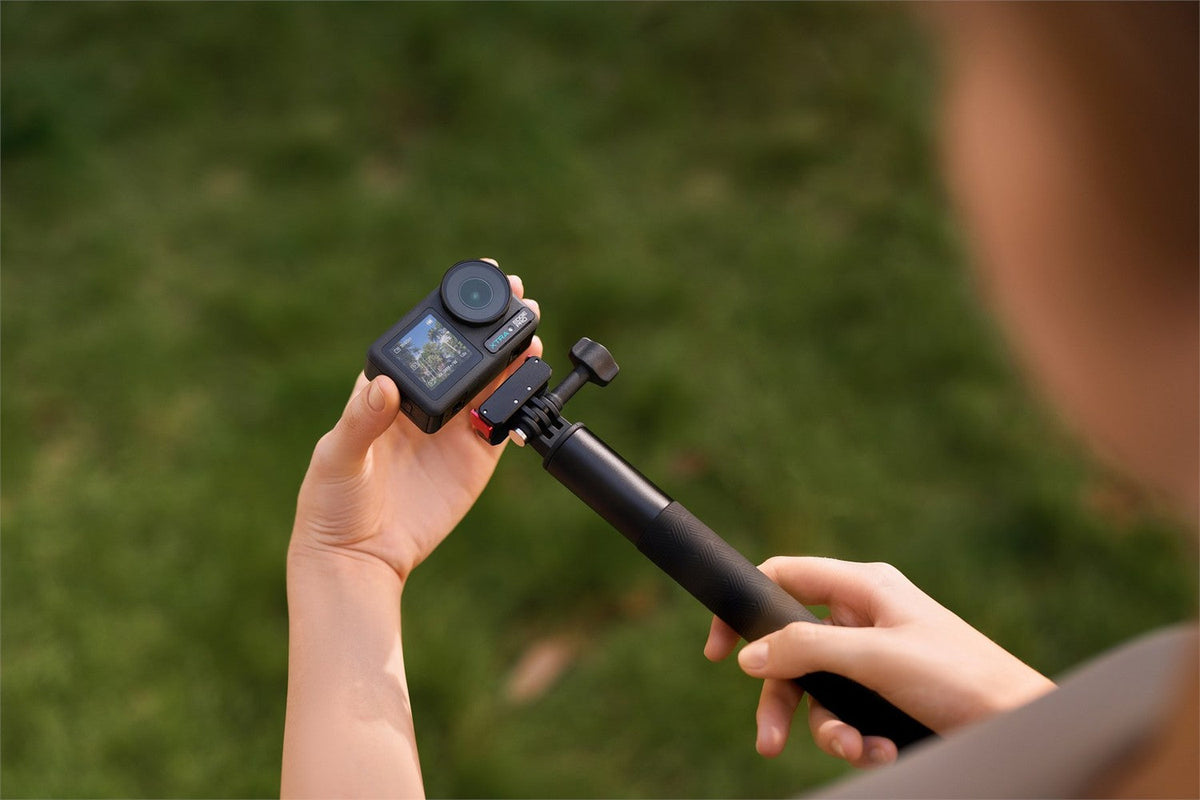
XTRA ATTO is a wearable option with a published 143-degree field of view. A broad view can include your hands and the surrounding area, but the visible framing also depends on the selected mode and settings.
XTRA ATTO is an XTRA product. This article uses manufacturer specifications and current store listings and does not present an independent laboratory test.
Wide framing does not make every detail easy to see. A small label or a fine tool adjustment may occupy too little of the image. Record a separate close shot when the detail matters rather than expecting an extreme crop to recover it.
ATTO is also different from a 360 camera. Its forward-facing recording does not capture every direction around you. If a subject moves behind the camera, you cannot choose that missing view afterward. Anticipate the action and check the frame before beginning.
Keep camera movement understandable
A wearable camera moves with its support. If you lean, twist, or glance down, the audience sees that change. Smooth movement is easier to follow when the frame has a clear subject.
ATTO includes MotionMaster stabilization and TiltGuard horizon support. Treat stabilization as help with the recorded view, while still checking mount movement and visibility. It cannot reveal hands hidden behind a bowl or restore an object that never entered the frame.
For your first practice, use a slow, familiar task. Pause briefly before the main action, complete it, and let the view settle afterward. Those quiet moments give you options when trimming the clip.
Record a story instead of an entire afternoon
Plan a short sequence with a beginning, an action, and a result. For example, record the supplies for a picnic, the hands-on preparation, and the finished setting. Each clip should answer a different question for the viewer.
Record a little extra at each end so the edit has room to breathe. Stop once the purpose of the shot is complete. This makes it easier to find the useful moments later and reduces the temptation to publish long stretches where nothing changes.
If you want to use ATTO's pre-recording feature, enable and understand it before the moment occurs. The feature is not a way to recover something that happened while the camera was off or the buffer inactive. Try it with a repeatable event before relying on it.
Consider when another camera position would work better
A wearable setup may be awkward for a long seated interview, distant wildlife, or a precise close-up. The viewpoint follows the wearer, so it can become distracting when the subject needs a steady composition independent of body movement.
Keep a simple alternative available. A compatible stable support can handle an introduction or result shot. Your phone may cover a detail. Choose the tool that makes the particular scene understandable without building the whole video around one mounting position.
When other people are part of the scene, make recording clear and ask before sharing identifiable footage. First-person filming works best when participants are comfortable with the camera being there.
Plan a simple first person edit before recording
Imagine showing someone how you prepare a bag for a day outside. Start with a stable view of the empty bag and the items. Move into a hands-visible sequence as you pack, then finish with the bag closed and ready.
This gives each viewpoint a job. The wide view explains the space, the first-person clip shows the order of actions, and a close insert can reveal a buckle or small compartment. Record only the detail you need rather than repeating the entire task from every angle.
Leave short pauses between steps. They help you cut from the wider scene to the detail without making the action feel interrupted. Keep an important movement visible from start to finish, especially if the audience might copy it.
When you assemble the edit, remove sections that repeat information. Keep enough context that a new viewer can understand where the hands are moving and what changed. A short, readable sequence often communicates more than a long recording with unexplained gaps.
Diagnose an awkward first attempt
If the camera points mostly at the ground, review the mount angle while standing in your normal posture. Do not compensate by holding your body unnaturally throughout the activity. The setup should fit the task.
If your hands look large while the work is difficult to see, try changing distance and camera position before cropping. If the picture sways with every step, check whether the attachment or clothing moves independently. A different mounting surface may be more useful than another editing effect.
If the audience cannot tell what matters, simplify the scene. Begin with fewer objects, place the important action clearly, or add a brief spoken introduction. POV provides a perspective; the sequence still needs to direct attention.
Keep the first project easy to finish
Choose an output format before filming and make a test export. A vertical crop may need a different composition from a horizontal one. Leave room for the essential action rather than assuming both versions will work automatically.
Keep your original recordings after the edit. A finished clip may discard the moments you later want for another version. Back up important sources and check the copied files before clearing space.
For narration, decide whether the live sound matters or whether a voiceover would explain the scene more clearly. Record a short audio sample in the chosen position. Viewers can often follow modest visuals when the action and explanation are clear; unclear instructions make even a sharp image frustrating.
Try a complete first person sequence
Pick a familiar task that takes a few minutes. Record an establishing view, the key movement, and the finished result. Transfer the clips, trim them into order, and watch the export on the screen where your audience will see it.
Look for one improvement you can make on the next attempt. A better angle or a clearer opening may help more than adding another camera feature. The ATTO mounting guide can help you choose the support for that change.
Explore XTRA ATTO if you want a wearable camera for first-person clips, with your hands free to remain part of the scene.

Leave a comment
This site is protected by hCaptcha and the hCaptcha Privacy Policy and Terms of Service apply.