
Quick Answer
XTRA MUSE is worth considering for parents and pet owners who want a small vlogging camera with mechanical stabilization and subject tracking. These tools can make everyday filming more manageable, but no camera guarantees every unpredictable moment. Preparation and safe use matter more than a maximum specification.
Spontaneous Does Not Mean Unprepared
A first step, a backyard game, or a puppy sprint can happen before you have framed the shot.
An elaborate camera kit creates friction at exactly the wrong time. XTRA MUSE combines a camera and 3-axis gimbal, reducing the number of separate pieces you need to manage.
The official page describes starting filming in seconds by flipping the screen. That is useful positioning, but not a promise of zero delay. The safer habit is to have the camera charged, a card installed, and a familiar recording mode selected before the activity begins.
You do not need to film constantly. You need a setup that is ready when you choose to record.
Stabilization Helps the Camera; Tracking Helps the Frame
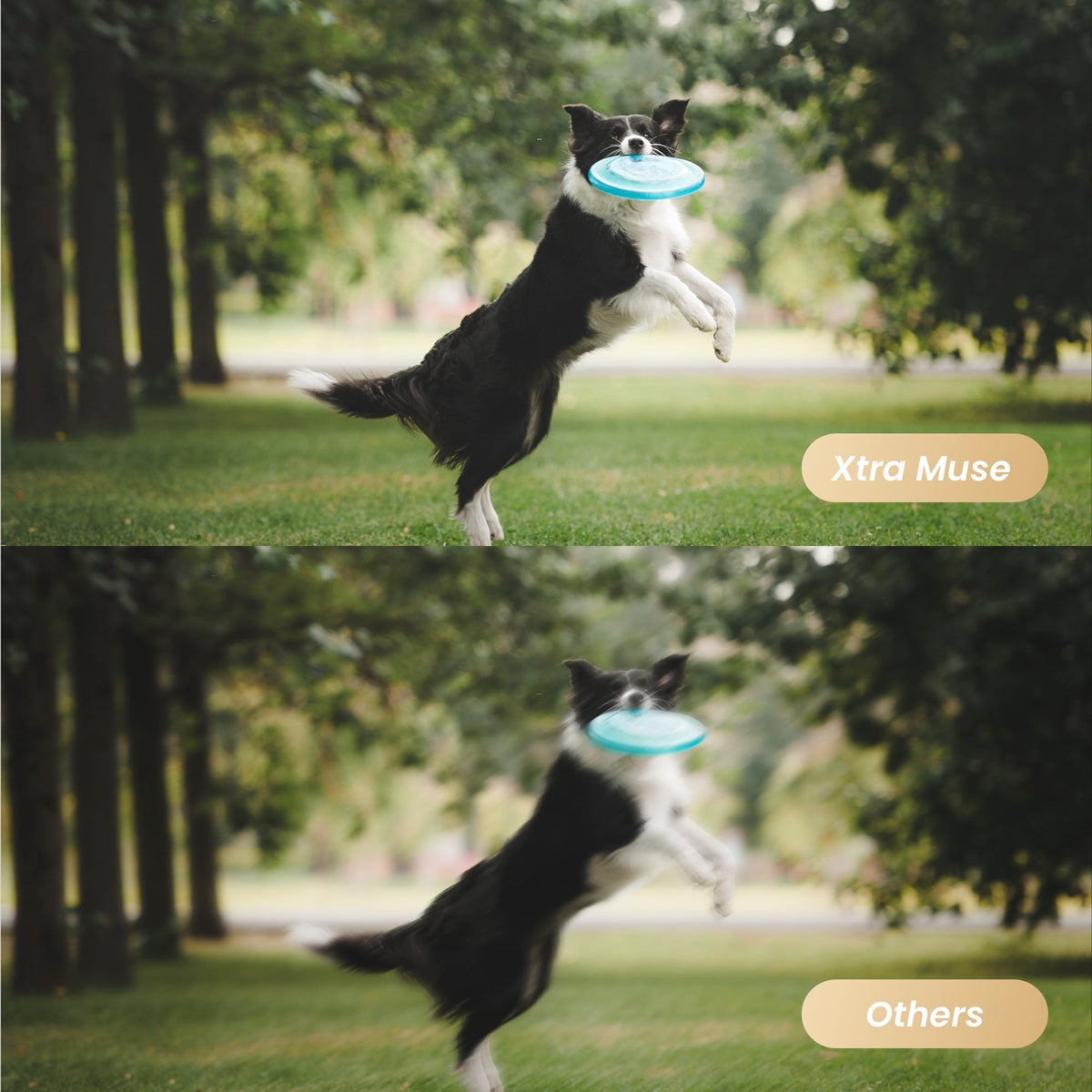
Mechanical stabilization and tracking solve different problems.
The gimbal helps reduce shake caused by camera rotation. Master Follow aims to keep a selected subject framed. Neither guarantees a sharp image of a rapidly moving child or pet.
Good light remains important for fast movement. Tracking may also lose a subject when someone passes in front, the subject leaves the available range, or the scene becomes complicated.
Practice with ordinary movement first. Learn how the camera responds before relying on it for a milestone.
For a picnic or seated family activity, a supported camera can capture a wider scene while you participate. Check framing and recording, then stay aware of the device without allowing it to dominate the moment.
Use Slow Motion for the Right Moments
MUSE supports 4K/120fps slow-motion recording. In suitable light, that can make a jump, splash-free backyard run, or playful movement easier to appreciate.
It is not necessary for every memory. Normal-speed footage preserves voices, timing, and the feeling of being there.
Keep expectations grounded around the environment. MUSE is not waterproof, and its moving gimbal needs protection. Do not put it where a child can pull it down or a pet can knock it over.
Buying Verdict
XTRA MUSE is a practical family-camera candidate for supervised everyday filming, not a rugged action-camera substitute. Its value comes from reducing setup burden—not from guaranteeing an unmissable shot.
Search “XTRA MUSE vlogging camera” for real family and pet samples, paying attention to tracking limitations as well as highlights.
FAQ
Does the gimbal remove motion blur?
Not by itself. It stabilizes camera movement; subject motion and exposure settings still affect blur.
Does XTRA MUSE have built-in storage, and which microSD cards are recommended?
No. XTRA MUSE has no built-in storage. You must provide a compatible microSD card to record and save videos. Prepare your card before your first shoot.
Recommended microSD cards include:
- SanDisk Extreme Pro 32GB V30 A1 UHS-I Speed Grade 3
- Kingston Canvas Go! Plus 64GB UHS-I Speed Grade 3
- Kingston Canvas Go! Plus 128GB UHS-I Speed Grade 3
- Kingston Canvas React Plus 64GB UHS-II Speed Grade 3
- Kingston Canvas React Plus 128GB UHS-II Speed Grade 3
- Kingston Canvas React Plus 256GB UHS-II Speed Grade 3
- Lexar Pro 256GB SDXC UHS-I V30 R160/W120 (1066x)
- Lexar Pro 512GB SDXC UHS-I V30 R160/W120 (1066x)
Match the listed model and capacity when buying. Storage capacity alone does not establish compatibility. Back up existing files before formatting your card.
👉 [Get the XTRA MUSE 4K Pocket Gimbal with Limited-Time Creator Bundles]


Leave a comment
This site is protected by hCaptcha and the hCaptcha Privacy Policy and Terms of Service apply.