

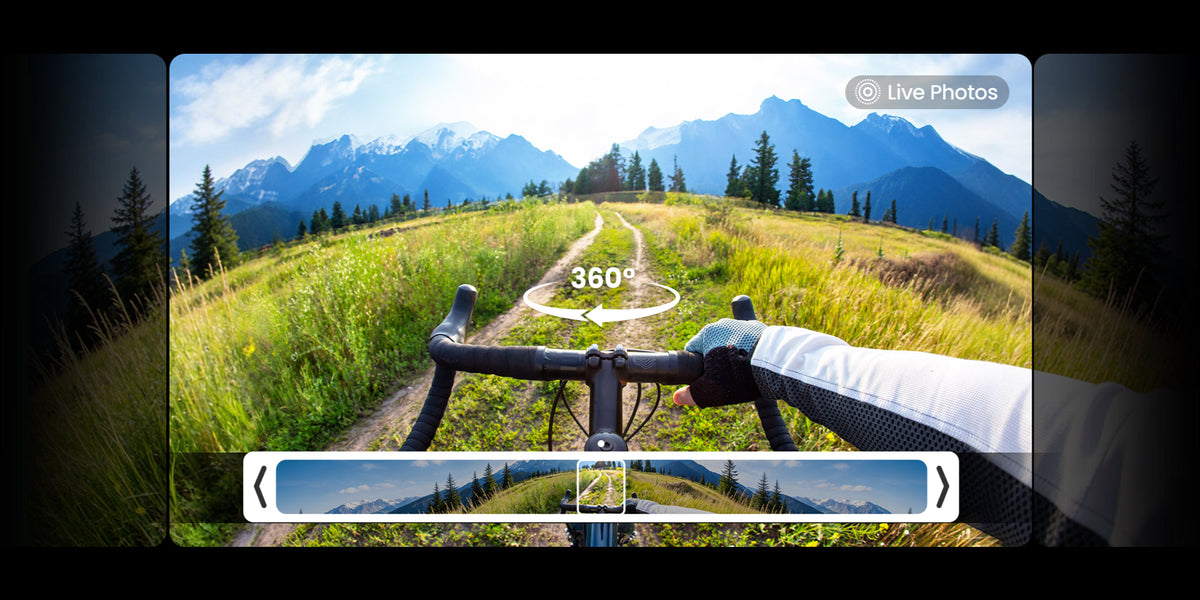
An 8K 360 video camera records far more than the view directly in front of the lens. It captures the surrounding sphere, giving you the freedom to select a horizontal, vertical, forward-facing, or third-person view after the moment has passed.
That flexibility is the reason resolution matters so much in 360 video. But 8K is only the starting point: reframing, sensor performance, exposure, stitching, stabilization, compression, and editing choices all influence the image viewers finally see.
What Does 8K Mean on a 360 Video Camera?
On a conventional camera, the recorded frame already matches the view you plan to show. On a 360 camera, two ultra-wide views are stitched into one equirectangular image representing the full scene around the camera. The advertised 8K resolution describes that complete spherical master, not one ordinary 16:9 view.
This distinction changes how you should interpret the number. An 8K master contains a large pixel budget, but those pixels are distributed across every direction. When you point the virtual camera toward a rider, landmark, or speaker, the final frame uses only one portion of the source. A tighter crop uses a smaller portion and therefore has less visible detail.
Why Higher Resolution Helps With Reframing
Reframing turns the spherical master into a standard video. You can choose the angle, field of view, aspect ratio, and movement of the virtual camera during editing. This is what enables one recording to become a wide YouTube shot, a vertical Reel, a forward view, and a reaction shot without physically aiming four cameras.
Higher source resolution gives the editor more room to make those choices. A wide reframed view uses more of the available sphere, while a digital zoom or narrow field of view magnifies a smaller area. Starting from 8K helps preserve texture in roads, faces, foliage, signs, and distant scenery after that crop, although it cannot create detail that the lenses and sensors failed to capture.
A Simple 360 Reframing Workflow
- Record the complete scene in the camera's panoramic 360 mode.
- Import the stitched or stitch-ready file into the supported mobile or desktop editor.
- Set keyframes to choose where the virtual camera looks and how the viewpoint moves over time.
- Export a normal horizontal or vertical video, or retain 360 metadata for an interactive upload when the platform supports it.
The final exported resolution and apparent sharpness depend on the crop, field of view, software, and delivery settings. Recording an 8K sphere does not mean that every reframed 16:9 view contains a full flat 8K frame.
Image Quality Depends on More Than Resolution
Resolution measures pixel dimensions, not the quality of every pixel. Two cameras can record the same nominal 8K format and still produce different results because their imaging systems, optics, processing, exposure decisions, and compression are different.
| Image-quality factor | Why it matters | What to check |
|---|---|---|
| Imaging system | Light collection affects noise, highlight detail, and color in difficult scenes. | Original footage in daylight, backlight, interiors, and low light |
| Lens and focus | Resolution cannot recover softness, flare, scratches, or a dirty lens. | Edge detail, flare control, lens protection, and working distance |
| Bitrate and compression | Aggressive compression can remove fine texture or create blocky motion. | Moving foliage, water, road texture, and export settings |
| Color and dynamic range | More tonal information helps with skies, shadows, and deliberate grading. | 10-bit options, Log profile, highlight roll-off, and skin tones |
| Stitching and stabilization | Seams, vibration, and horizon drift can distract more than small resolution differences. | Close subjects, fast movement, horizon behavior, and mount stability |
Use original camera files when possible. A social-media upload may add another layer of compression.
Daylight, Low Light, and Motion
Bright daylight usually gives an 8K 360 camera the best chance to resolve fine detail because the camera can use a faster shutter speed and lower sensitivity. Low light is harder. Noise reduction may smooth texture, slower shutter speeds can blur movement, and bright signs or streetlights can exceed the available dynamic range.
Frame rate also changes the trade-off. A higher frame rate can make fast action look smoother and provide more frames for editing, but it may require more light, more processing, or different compression. Judge the exact recording mode you plan to use rather than assuming every 8K mode behaves the same way.
Stitching, Stabilization, and Camera Placement
A 360 image combines views from lenses facing opposite directions. Software hides the boundary, but subjects placed very close to the camera or directly across the stitch line can appear distorted. Keep important faces and objects at a practical distance, avoid placing them exactly between the lenses, and review a short test clip before the main activity.
Stabilization and horizon leveling are equally important for action. A high-resolution file that shakes, tilts unexpectedly, or comes from a flexible mount can still be uncomfortable to watch. Use a secure mount, minimize unnecessary extension, clean both lenses, and test the complete rig under the movement you expect.
Plan for Larger Files and a Heavier Workflow
An 8K spherical master is designed to preserve options, so it can demand more storage, transfer time, memory, graphics performance, and export time than ordinary action-camera footage. Before a long shoot, confirm free space on the camera, phone, computer, and backup drive. Proxy files can make editing smoother while preserving the original masters for final export.
Built-in storage provides immediate working space, while microSD expansion can extend a session. For a deeper planning guide, read why built-in camera storage matters for 8K and 4K video. Keep a second copy of important files; internal storage or one card is not a complete backup strategy.
How to Judge an 8K 360 Camera Sample
- Confirm that the clip comes from the advertised 360 mode and frame rate, not a separate single-lens mode.
- Inspect both a wide reframed view and a tighter crop, because the crop reveals how quickly detail falls away.
- Look at moving texture such as trees, water, gravel, or traffic for compression artifacts and motion blur.
- Check highlights, shadows, skin tones, lens flare, and stitching in the same lighting you expect to use.
- Ask for the original file or a high-quality export when making a purchase decision; platform compression can hide or create problems.
Where Xtra 360 Fits This Workflow
Xtra 360 records panoramic video up to 8K/50fps, giving editors a high-resolution spherical master for post-shoot reframing. Its 10-bit X-Log option is relevant when the workflow includes deliberate color correction or grading rather than a fast automatic export.
About 105GB of usable built-in storage, plus microSD expansion, provides working space for large 360 files. The current official product page also describes a 1-inch-equivalent imaging system; that specification should be evaluated together with original footage from the exact recording mode and lighting conditions you plan to use.
Xtra 360 is an XTRA product. This article uses manufacturer specifications and current store listings and does not present an independent laboratory test. Resolution and manufacturer specifications should be considered alongside original samples, editing compatibility, and your own capture conditions.
Frequently Asked Questions
Is 8K necessary for a 360 camera?
It is not necessary for every use, but it is valuable when you plan to reframe, crop, zoom, or create several views from one spherical recording. The extra source resolution gives the editor more room before detail falls away.
Does an 8K 360 camera export a full 8K flat video?
The 8K figure normally describes the complete spherical master. A flat reframed export uses only part of that sphere, so its practical detail depends on the selected field of view, crop, software, and export settings.
Does 8K automatically improve low-light image quality?
No. Low-light quality also depends on the imaging system, lens, exposure, processing, noise reduction, compression, and motion. Review original footage from the exact low-light mode before drawing conclusions.
The Bottom Line
An 8K 360 video camera is best understood as a flexible source camera. Its resolution creates room to choose the view later, but the final image still depends on light, optics, color, compression, stitching, stabilization, editing, and export decisions. Evaluate the complete workflow, not the 8K label alone.


Leave a comment
This site is protected by hCaptcha and the hCaptcha Privacy Policy and Terms of Service apply.