
The best low light action camera for an evening walk may not be the best choice for a rough ride after sunset. In one scene, the subject barely moves. In the other, the camera, rider, and road are all moving through changing light. A bright sample frame cannot tell you how well either situation was handled.
Before comparing cameras, decide what must survive in your finished video: a recognizable face, readable surroundings, a level horizon, or smooth movement. This guide shows how to judge those priorities, where XTRA Edge Pro fits, and how to make a useful recording decision without mistaking a night-mode label for a performance guarantee.
Judge the moving subject before the background
A city scene can look impressive because signs and streetlights are bright. Look closer at the subject between those lights. Can you follow a person's expression? Does a hand remain recognizable as it moves? Does pavement retain any texture when the camera advances?
Use three moments when comparing clips: a stationary view, a slow movement, and the fastest movement you expect to record. Play each at normal speed before inspecting individual frames. A paused frame reveals detail, but a sequence reveals distracting changes in brightness, softness, and stabilization.
Also check the source of the clip. A small, heavily compressed social video may hide differences or introduce its own artifacts. Prefer original files or high-quality exports with the recording mode disclosed. Two videos made on different routes are useful examples of what is possible, but they do not establish which camera performs better under the same conditions.
Separate blur from noise and camera shake
These problems can appear together, yet they need different responses. Noise resembles grain or fluctuating colored specks. Motion blur stretches detail along its direction of travel. Camera shake moves the composition around. Treating all three as a need for stronger stabilization can waste a whole evening of filming.
A longer exposure lets more light reach the sensor during each frame, but moving detail can smear. Increasing ISO can help produce a brighter image while making noise more visible. Electronic stabilization adjusts framing; it cannot reconstruct detail that was never captured sharply. Nikon's video exposure guide explains the exposure trade-off, while GoPro's low-light stabilization explanation describes why stabilized footage can still look blurred. Those are general principles, not comparative test results for Edge Pro.
Start with the simplest diagnosis. If the frame visibly vibrates while the camera is attached to something, inspect the attachment. If the frame stays relatively steady but your subject smears, investigate exposure and available light. If the subject remains clear but shadows look grainy, decide whether that noise is acceptable at the final viewing size before changing anything.
Understand the Edge Pro mode trade off
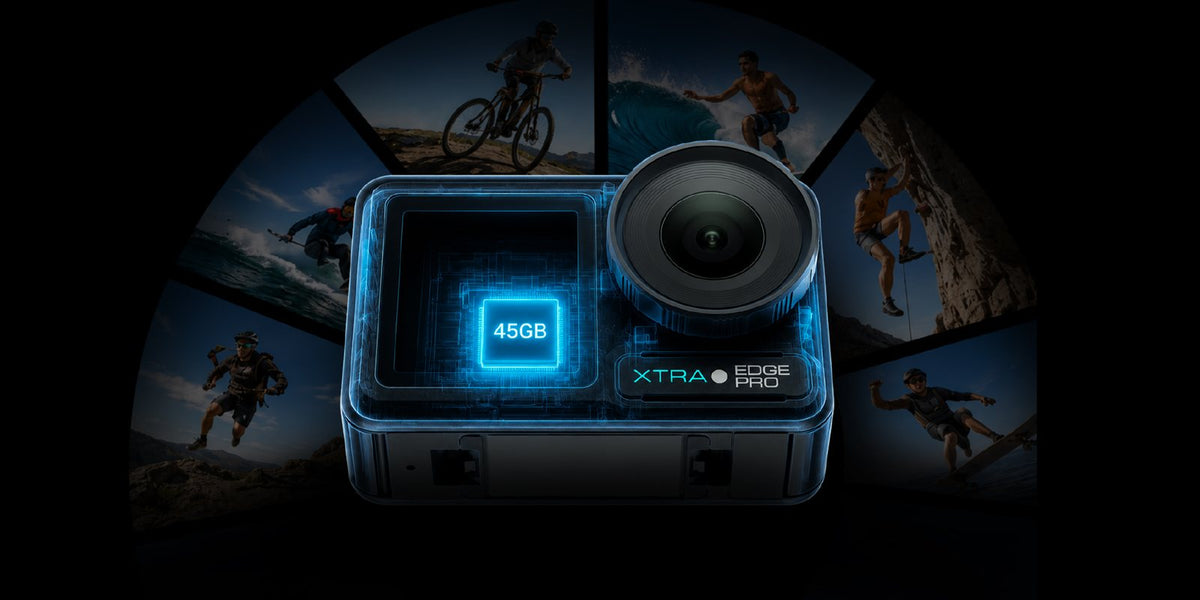
XTRA Edge Pro combines a 1/1.3-inch CMOS sensor with a Night View mode rated up to 4K/60fps. It is a candidate for creators who want one camera for daytime activity and scenes with some light after sunset. Its usefulness depends on which features the shot needs at the same time.
XTRA Edge Pro is an XTRA product. This article uses manufacturer specifications and current store listings and does not present an independent laboratory test.
| Your priority | Relevant Edge Pro option | Limit to account for |
|---|---|---|
| Evaluate a dedicated low-light mode | Night View up to 4K/60fps | 8-bit; excludes TiltGuard, 360 Lock, the 155-degree ultra-wide view, and 4:3 recording |
| Keep a horizon level in 4K | TiltGuard in supported standard-video settings | Up to 60fps and 16:9; unavailable in Night View |
| Use 360 Lock | Supported 1080p or 2.7K video | Up to 60fps and 16:9; not a 4K or Night View option |
| Grade color afterward | Supported 10-bit X-Log or HLG recording | Select an appropriate mode outside Night View and plan the editing workflow |
This is why checking a list of features is not enough. A buyer who needs 4K, Night View, and 360 Lock together would be asking for a combination the camera does not offer. Decide which capability the shot actually needs, then check the available combinations on the camera before leaving.
Night View also should not be read as infrared night vision. Plan to record scenes with usable visible light. A person beside a lamp and a person on an unlit trail present very different challenges.
Choose a starting point for the scene
Walking through a lit neighborhood
Begin with a short normal-video clip at 30fps and automatic exposure. Record a person walking past a light source and through a darker section. Where available, repeat with Night View at a matching frame rate and similar framing. Compare the face and walking movement, not just how bright the background becomes.
Keep the camera pointed steadily and avoid sweeping quickly from a bright shop window into a dark street. Reframe deliberately, then allow the shot to settle. If the face is important, changing where the person stands may improve the clip more than another setting adjustment.
Recording movement after sunset
A higher frame rate is not an automatic low-light upgrade. It provides more temporal samples, but the shorter maximum time available per frame affects exposure choices. Try 60fps when there is enough light and a reason to preserve fast movement; compare it with 30fps before committing to a full outing.
If you require horizon control, start with a supported normal-video combination. If Night View is the priority, accept its horizon-control limits and keep the physical movement manageable. Make setting changes while stopped in a safe location. A recording preference should never dictate how you ride or move through traffic.
Filming a campsite conversation
Place the speaker where existing light reaches their face instead of pointing the camera toward a bright lantern behind them. Keep the camera supported and let the person remain within a consistent area of light. Speak close enough for the chosen microphone setup to capture usable sound.
Watch reflections on glasses, shiny clothing, and nearby surfaces. A small change in camera position can be more useful than making the whole scene brighter. If the clip is mainly a conversation, prioritize an understandable face and voice over a wide view of a dark campsite.
Run a comparison you can actually use
You do not need to turn an evening outing into a laboratory exercise. A repeatable sequence is enough to identify obvious problems before an important shoot.
- Clean the lens cover and check that the camera or mount is secure.
- Choose a short scene containing both a person and textured surroundings.
- Record the same movement twice, changing only one setting or mode.
- Note the resolution, frame rate, color profile, and stabilization choice.
- Compare exported clips on the same screen at normal playback speed.
- Keep the version that preserves the subject and looks comfortable to watch, even if its shadows are darker.
Avoid comparing a graded X-Log clip with an untouched standard-color clip and calling the difference a sensor test. Likewise, do not judge a night mode from a stationary shot if your intended use is riding. The comparison should answer your own filming question.
Decide whether Edge Pro matches your night shooting
Consider Edge Pro if you want a conventional action camera with a dedicated low-light option and are willing to choose between Night View and certain horizon controls. It can make sense for an outdoor kit that moves between daytime activity, lit evening streets, and occasional campsite footage.
Look at a different setup if your main requirement is recording complete darkness, keeping every advanced feature active together, or capturing distant subjects that need a different lens. Those needs cannot be solved by selecting a higher resolution in a menu.
If your filming also includes daytime trips, use the outdoor action camera guide under $300 to weigh the rest of the kit. For details on framing and horizon options, read the action camera stabilization guide.
Choose the camera around the footage you intend to make, then practice one evening sequence before relying on it. Explore XTRA Edge Pro and its current recording features.

Leave a comment
This site is protected by hCaptcha and the hCaptcha Privacy Policy and Terms of Service apply.