

"Good in low light" is one of the most overused claims in the camera industry. For content creators, low light isn't just one specific scenario. It could mean a dimly lit bedroom, a cozy restaurant with warm practical lights, a neon-drenched city street, or a nearly pitch-black campsite. Each of these environments pushes a camera to its absolute limits.
If you are hunting for the ultimate low-light vlogging camera, you cannot rely on polished promotional videos. You need to know how the camera handles exposure, noise, color shifts, and stabilization in the real world.
Here is a practical framework to evaluate vlogging camera low-light performance so you can choose the right gear for your content.
The Quick Take
Evaluating low-light performance requires controlled, repeatable scenes. You must look beyond just brightness and inspect noise texture, skin tone accuracy, highlight retention, and motion blur. Cameras equipped with a larger camera sensor size—like the 1-inch CMOS sensor in the $329 XTRA MUSE—provide a massive head start, but true performance also depends on intelligent processing and mechanical stabilization.
5 Crucial Factors for Testing Night Vlogging Settings
1. Exposure Without Destroying the Mood
The goal of night vlogging isn't to make the night look like day; it is to expose your subject clearly while retaining the scene’s natural atmosphere. When you push a camera's ISO too high, exposure might increase, but it often comes at the cost of muddy colors and heavy grain. Look for a camera that can balance subject visibility (like your face) with the ambient mood.
2. Video Noise Test: Character Over Quantity
In dark areas, digital noise appears as random variations in brightness or color. Don't just ask how much noise there is; evaluate its character. Is it a fine, film-like grain, or is it distracting, blotchy chroma noise (those ugly green and magenta speckles)?
Furthermore, pay attention to the camera's internal noise reduction. Aggressive processing might eliminate noise, but it will also turn skin, hair, and fabric textures into a plastic, smeared mess.
3. Skin Tones and Color Separation
Dim, mixed lighting is a nightmare for cameras. You might have a warm tungsten lamp on one side and a cool blue street light on the other. Examine how the camera handles skin tones in these environments. Do they look natural, or do they take on a sickly green tint? A top-tier camera will keep colors separated and accurate, even in the shadows.
4. Dynamic Range in Low Light: Highlight Handling
Night scenes are full of extreme contrast—think bright streetlamps, glowing neon signs, or car headlights against a dark background. Evaluate how smoothly the camera transitions from shadows to bright highlights. If a camera raises the shadows beautifully but blows out every practical light into a featureless white blob, it lacks the necessary dynamic range in low light.
5. Motion and Stabilization Behavior
A static frame can hide a multitude of sins that instantly appear when you start walking. Because low light requires slower shutter speeds, motion blur becomes a massive issue. Electronic stabilization often struggles in the dark, creating jittery, warped edges with every footstep.
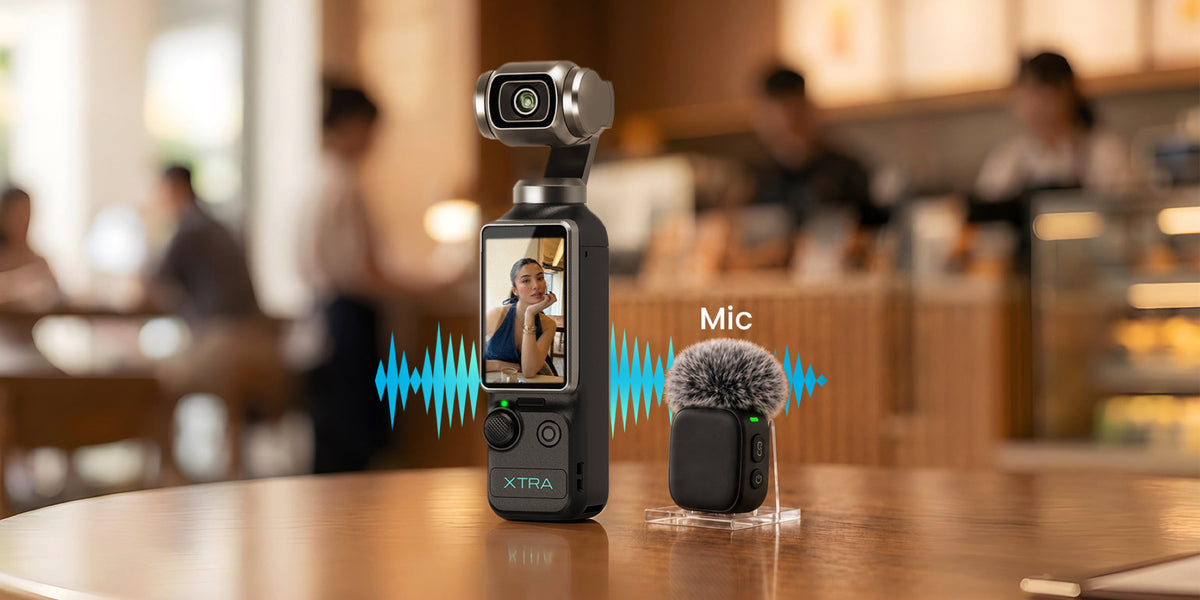
This is where hardware makes a difference. The XTRA MUSE utilizes a true 3-axis mechanical gimbal. Because it physically stabilizes the camera orientation, it eliminates the need for software-based cropping and delivers significantly smoother walking shots at night.
The Role of Sensor Size and Color Profiles
When evaluating hardware, camera sensor size is your strongest ally. A larger sensor gathers vastly more light. The XTRA MUSE features a massive 1-inch CMOS sensor, giving it a distinct advantage over standard smartphones and action cameras in dark environments.
Additionally, look at the available color profiles. While Rec.709 is perfect for fast uploads, cameras that offer 10-bit Log profiles (like the 10-bit X-Log on the MUSE) give creators incredible flexibility to recover shadows and balance extreme highlights during post-production color grading.
How to Run Your Own Low-Light Test Protocol
If you are comparing cameras, do it scientifically:
- Choose three scenes: A dim interior, a mixed-light room, and a high-contrast outdoor night scene.
- Lock your settings: Set a consistent white balance, frame rate, and shutter speed across all devices. (Note: While the XTRA MUSE offers 4K/120fps, remember that high frame rates require more light per frame. Stick to 4K/24fps or 30fps for extreme low-light tests).
- Test movement: Capture a static shot, a slow pan, and a walking vlog shot.
- Review original files: Don't judge on compressed social media platforms; review the raw files on a trusted monitor.
FAQ
Does a larger sensor always mean better low-light video?
Not automatically, but it is the most critical foundation. While a 1-inch sensor (like the one in the XTRA MUSE) gathers significantly more light than a standard phone sensor, the final image also depends on the lens aperture, image processing, and your night vlogging settings.
Is the XTRA MUSE good for low-light vlogging?
Yes. Thanks to its 1-inch CMOS sensor, 3-axis mechanical gimbal (which prevents digital warping at night), and 10-bit X-Log color profile, the XTRA MUSE is an exceptionally powerful and affordable tool for low-light environments.
Should I use 4K/120fps at night?
Generally, no. Shooting at 120fps requires a very fast shutter speed, which drastically limits the amount of light hitting the sensor. For standard night vlogging, you will achieve much cleaner, brighter results using 4K at 24fps or 30fps.
👉 [Get the XTRA MUSE 4K Pocket Gimbal with Limited-Time Creator Bundles]


Leave a comment
This site is protected by hCaptcha and the hCaptcha Privacy Policy and Terms of Service apply.