


Both a wearable camera and camera glasses let you record without holding a phone. The practical difference is where the camera sits and how easily you can change the shot.
Camera glasses are technically wearable cameras, too. Here, “wearable camera” means a detachable camera that works with compatible clothing, hat, or other mounts. “Camera glasses” means eyewear with an integrated camera.
If you want a view from near eye level while wearing glasses, camera eyewear may fit your routine. If you want to switch between your hands, the scene ahead, and a fixed viewpoint, a detachable camera offers more placement options.
This guide uses published product information and typical mounting workflows, rather than hands-on comparative testing. Features vary by model.
Start With What You Want Viewers to See
Camera glasses generally follow the direction of your head. This can feel natural for a walking tour or a quick moment during a day out. However, the lens does not necessarily follow your eye movements or capture exactly what you see.
A detachable wearable camera lets you choose a different relationship between the camera and the activity. Chest placement can show your hands making coffee or giving a dog a treat. A hat mount provides a higher viewpoint. A fixed mount can keep recording the same area while you move around it.
A hat-mounted camera follows head movement, too. The advantage is the ability to change placement when the story calls for it.
For examples, explore our guide to chest, hat, and fixed POV angles.
Wearable Camera vs Camera Glasses: Quick Comparison
| What matters | Detachable wearable camera | Camera glasses |
|---|---|---|
| Camera position | Clothing, hat, or other compatible mounts | Integrated into the eyewear frame |
| Changing perspective | Reposition the camera or change mounts | The view generally moves with your head |
| Fit to check | Camera, mount, clothing, and activity | Frame fit, lenses, and comfort |
| Framing tools | Check the model’s screen, dock, or app | Check the model’s display or app |
| Recording and transfer | Depend on the camera and accessories | Depend on the glasses and companion software |
Consider What You Already Wear
Comfort depends on the whole setup.
With camera glasses, check the bridge fit, temple pressure, lens suitability, and whether the frame stays in position when you move. If you use prescription eyewear, confirm the available lens options for the specific model.
With a detachable camera, check the mounting surface. A loose T-shirt behaves differently from a firm backpack strap, and a soft hat brim may need adjustment.
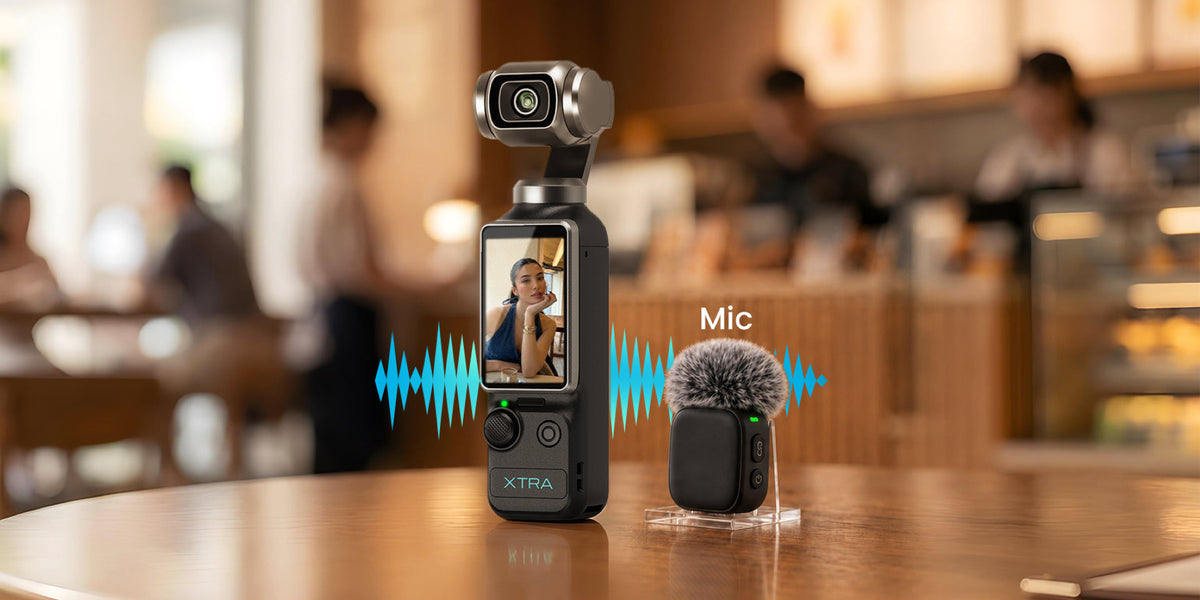
XTRA ATTO’s camera body weighs 54g. That figure describes the body alone; consider the mount as part of the setup you will actually wear.
Try your intended configuration while walking, bending, and reaching before committing to a longer recording.
Check Framing Before You Need the Shot
Hands-free recording still needs a framing check.
With either format, make a short test clip in your normal posture. Confirm that the subject appears where you expect, and watch for hair, clothing, or other obstructions.
Preview capabilities vary. Some camera glasses provide an integrated display; others rely on reviewing captured media through an app. Check the specific model.
ATTO’s Vision Dock provides preview and control functions. Use a test recording to confirm the result from your chosen mounting position.
For a cooking or pet video, check whether your hands and the activity remain visible throughout the movement.
Compare Recording Modes for Your Intended Output
Avoid treating either product category as a single specification.
Ray-Ban Meta (Gen 2), for example, lists 3K video capture. XTRA ATTO lists up to 4K/60fps recording and a 1/1.3-inch sensor. These are published specifications, not proof that one will produce better footage in every situation.
Compare the supported aspect ratios, frame rates, stabilization options, and maximum clip lengths of the models you are considering.
If you mainly post vertical clips, inspect a sample vertical export. If you make landscape travel videos, confirm how the camera records and exports that format.
Also distinguish mixed-use battery claims from continuous recording runtime. For more buying questions, read our wearable camera buying checklist.
Follow the Footage All the Way to Editing
Think through the steps after recording.
Meta’s supported AI glasses use the Meta AI mobile app to import captured media to a phone. Check phone compatibility and the import process for your selected model.
ATTO records to 107GB of built-in storage. The Vision Dock can export recordings to a compatible microSD card to free internal space; the camera does not record directly to that card.
Before a trip, record, transfer, edit, and export one complete sample. This reveals whether the workflow fits the way you normally make videos.
Which Format Fits Your Filming?
Consider camera glasses when you want a camera integrated into eyewear and expect to film mainly from near head height. Check any additional audio or smart features that matter to your daily use.
Consider a detachable wearable camera when your videos benefit from changing camera positions: showing your hands during an activity, moving to a higher view, or adding a fixed shot.
For that kind of flexible POV filming, explore XTRA ATTO and its compatible mounting options. Start with the view you want, then choose the setup that makes it practical.

Leave a comment
This site is protected by hCaptcha and the hCaptcha Privacy Policy and Terms of Service apply.