

Some of the best hiking moments happen when pulling out your phone makes the least sense.
You are climbing over rocks, using trekking poles, crossing water, adjusting your pack, or simply trying to watch your footing.
That is where a hands-free camera for hiking can change the way you record the trail.
Instead of stopping every few minutes to film, a lightweight wearable camera can capture short first-person moments while you keep moving.
Here are seven hiking moments that work especially well with hands-free POV.
1. The First Steps Onto the Trail
The beginning of a hike sets the scene.
A quick POV clip of leaving the parking area, entering the forest, or seeing the trailhead gives viewers a natural starting point.
A chest- or hat-mounted camera can capture this transition without turning it into a staged opening shot.
It is a simple way to make the audience feel like the hike is beginning with you.
2. Using Trekking Poles
Trekking poles are a perfect example of why holding a phone does not always work on the trail.
Both hands are already occupied.
With a POV camera for hiking, the movement of the poles can become part of the shot, especially from a chest-mounted perspective.
Instead of seeing only the scenery, viewers see the activity itself:
hands, poles, trail, and movement together.
That often feels more immersive than filming the same path from a standing position.
3. Rocky Climbs and Steeper Sections
Steep or uneven terrain is not the time to focus on a screen.
Your attention should stay on the trail.
A wearable camera can keep recording while your hands remain available for balance, climbing, or managing gear.
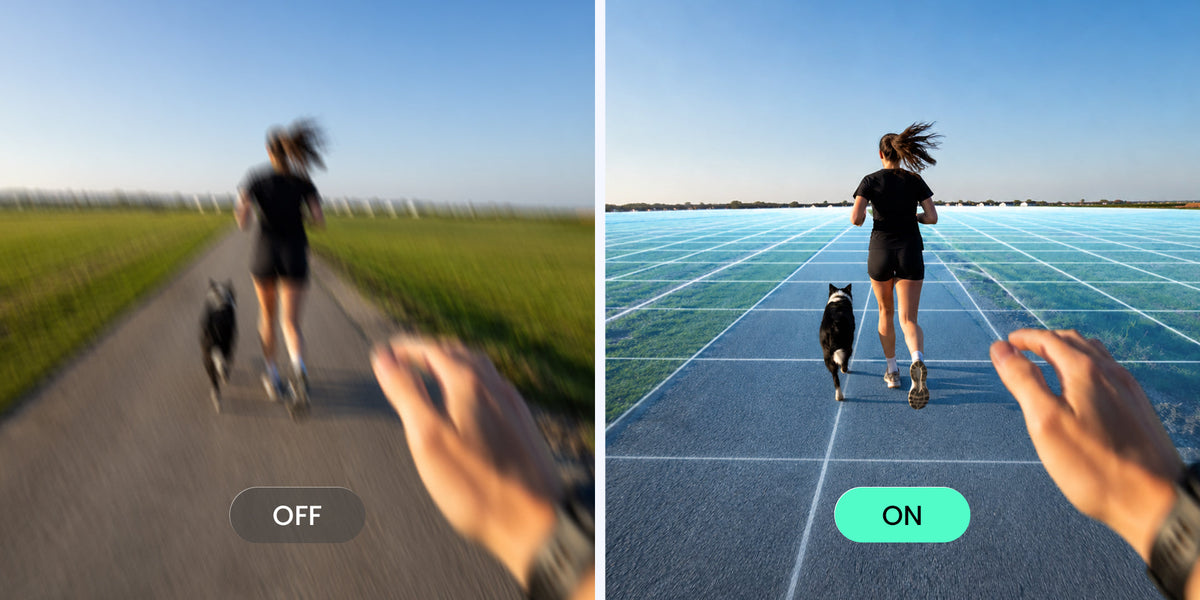
This is also where stabilization matters.
Walking on uneven ground introduces constant motion, so a good camera for hiking video should be able to manage normal body movement without requiring the creator to hold it steady by hand.
Xtra ATTO uses MotionMaster stabilization and TiltGuard horizon leveling for moving POV capture.
4. Stream Crossings
A stream crossing can be one of the most memorable moments of a hike—and one of the least convenient moments to hold a phone.
You may need both hands for:
- Trekking poles
- Balance
- Holding gear
- Moving across rocks
- Helping someone else
A chest or hat POV can preserve the crossing from the hiker's perspective while leaving your hands focused on the activity.
It is exactly the kind of moment where hands-free filming feels more useful than simply owning a smaller camera.
5. Wildlife You Did Not Expect
Wildlife rarely waits for the camera.
A bird appears beside the trail.
A deer moves through the trees.
Something crosses the path before you are ready.
By the time you take out your phone and open the camera, the moment may already be gone.
This is where pre-recording can be useful.
Xtra ATTO supports up to five minutes of pre-recording, allowing earlier footage to be preserved when the feature is active.
For unpredictable trail moments, being ready can matter more than carefully framing the perfect shot.
6. Setting Up Camp or Taking a Break
Hiking content does not need to be constant walking footage.
Some of the best first-person clips happen when you stop.
Think:
- Taking off your backpack
- Setting up a tent
- Preparing food
- Making coffee
- Organizing gear
- Checking a map
These activities work especially well from chest POV because your hands naturally stay inside the frame.
A wearable camera turns a simple task into a first-person sequence without asking someone else to film it for you.
7. Reaching the Viewpoint
The classic hiking shot is the final view.
But there is a difference between filming the landscape after you arrive and capturing the moment you actually reach it.
A wearable camera can record:
the final steps → the view opening up → your natural reaction
before you switch to a phone or another camera for a more carefully framed landscape shot.
That combination often creates a stronger hiking story:
POV for the experience, handheld camera for the final composition.
Chest POV or Hat POV for Hiking?
Both can work, but they tell slightly different stories.
Chest POV
Best when your hands and the activity matter.
Use it for:
- Trekking poles
- Gear
- Camp setup
- Cooking
- Climbing
Hat POV
Best when the trail and environment ahead matter.
Use it for:
- Walking
- Scenic trails
- Exploration
- Trail transitions
A simple rule:
If your hands are part of the story → Chest POV
Where you are looking is the story → Hat POV
What Makes a Good Hands-Free Hiking Camera?
When choosing a camera for hiking, look beyond resolution.
Useful trail features include:
- Low camera weight
- Secure hands-free mounting
- Stabilization
- Weather resistance
- Enough battery for repeated clips
- Practical storage
- Fast access to recording
- Pre-recording for unexpected moments
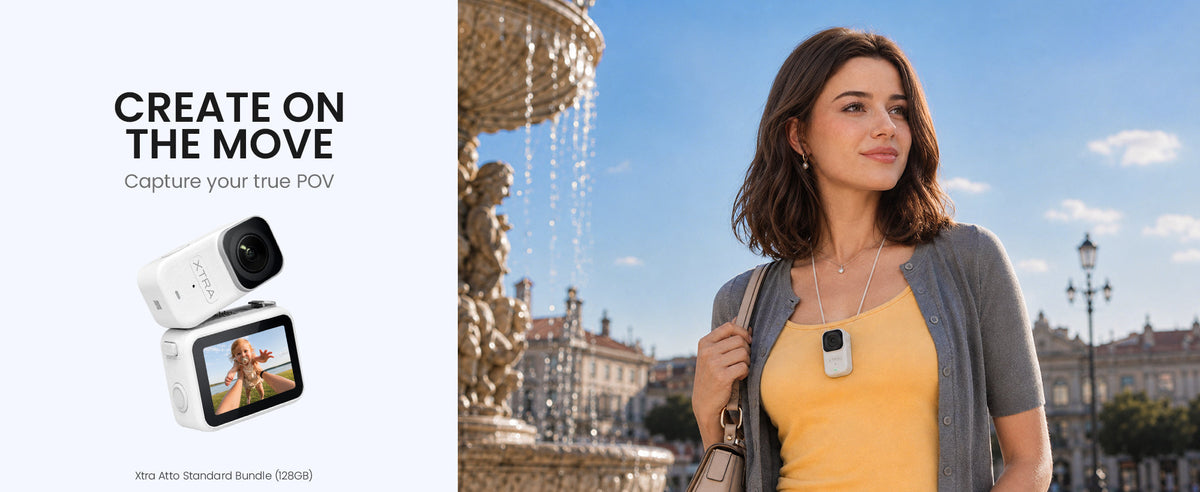
Xtra ATTO combines a 54g wearable body, 4K/60fps recording, MotionMaster + TiltGuard, approximately 107GB of built-in storage, up to five-minute pre-recording, and 10m standalone waterproofing.
Its standalone camera is rated for up to 90 minutes, while total published runtime can reach up to 220 minutes with the Vision Dock.
Actual runtime varies with recording settings, temperature, and usage.
The Best Hiking Footage Does Not Have to Interrupt the Hike
A phone is still useful on the trail.
Use it for landscapes, portraits, and moments where you want to stop and carefully frame the shot.
A wearable POV camera solves a different problem.
It captures the moments where stopping to film would change the experience itself.
The climb.
The stream crossing.
The trekking poles.
The unexpected wildlife.
The final steps before the view appears.
If your goal is to make a hiking video feel more like the hike itself, sometimes the most useful camera is the one you do not have to keep holding.


Leave a comment
This site is protected by hCaptcha and the hCaptcha Privacy Policy and Terms of Service apply.